
2FA Authenticator
Modern authentication in Chrome. No server, no tracking.
About 2FA Authenticator
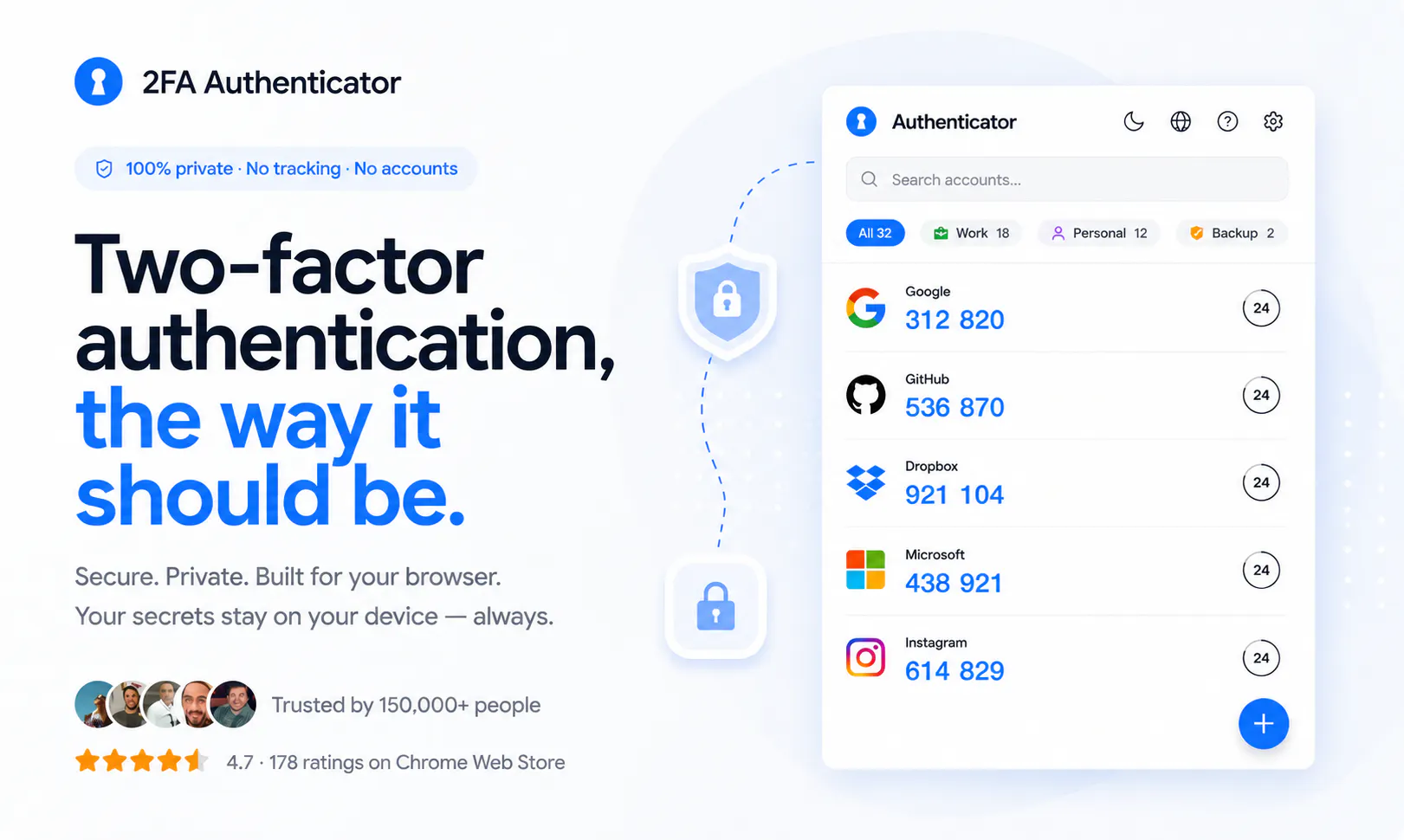
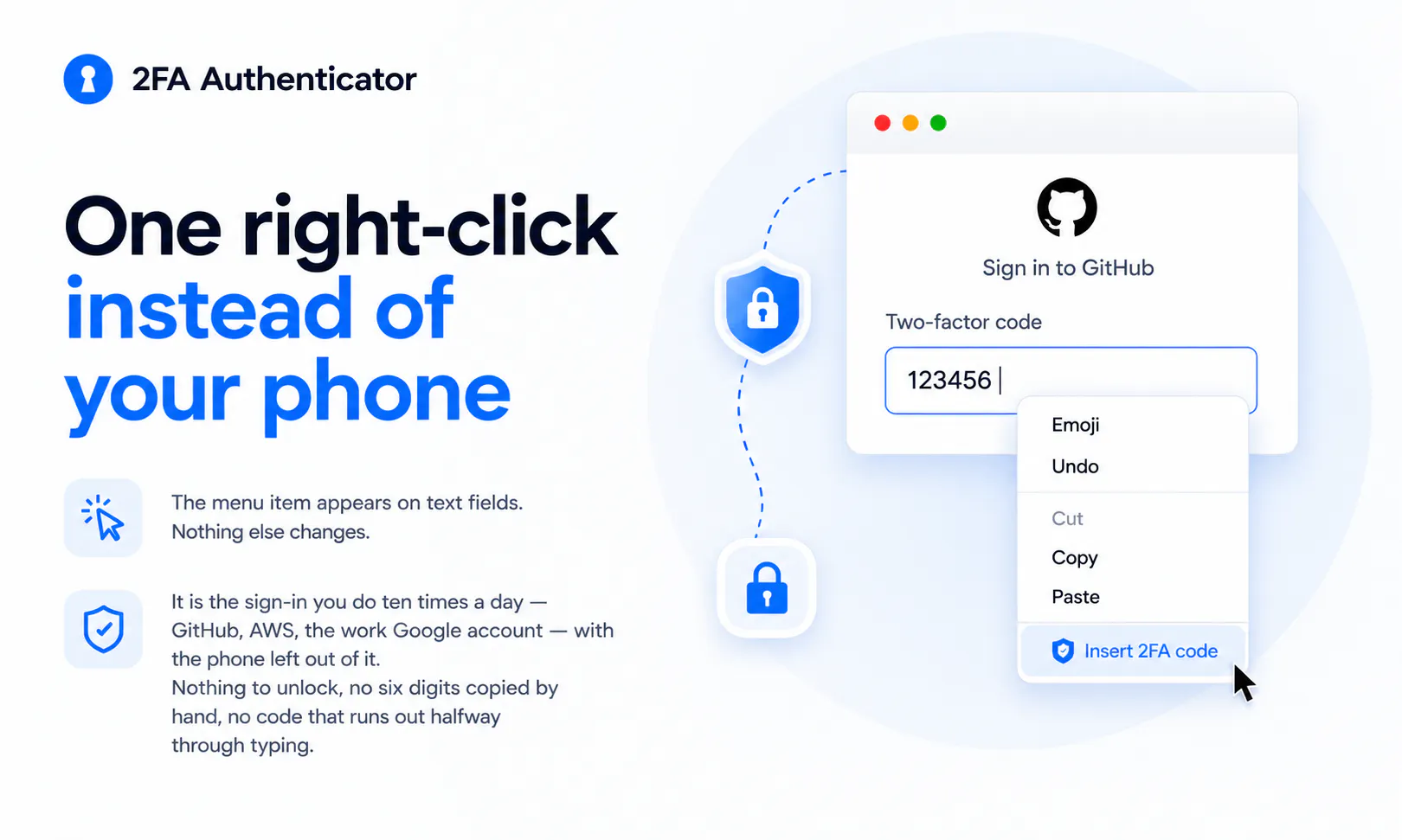
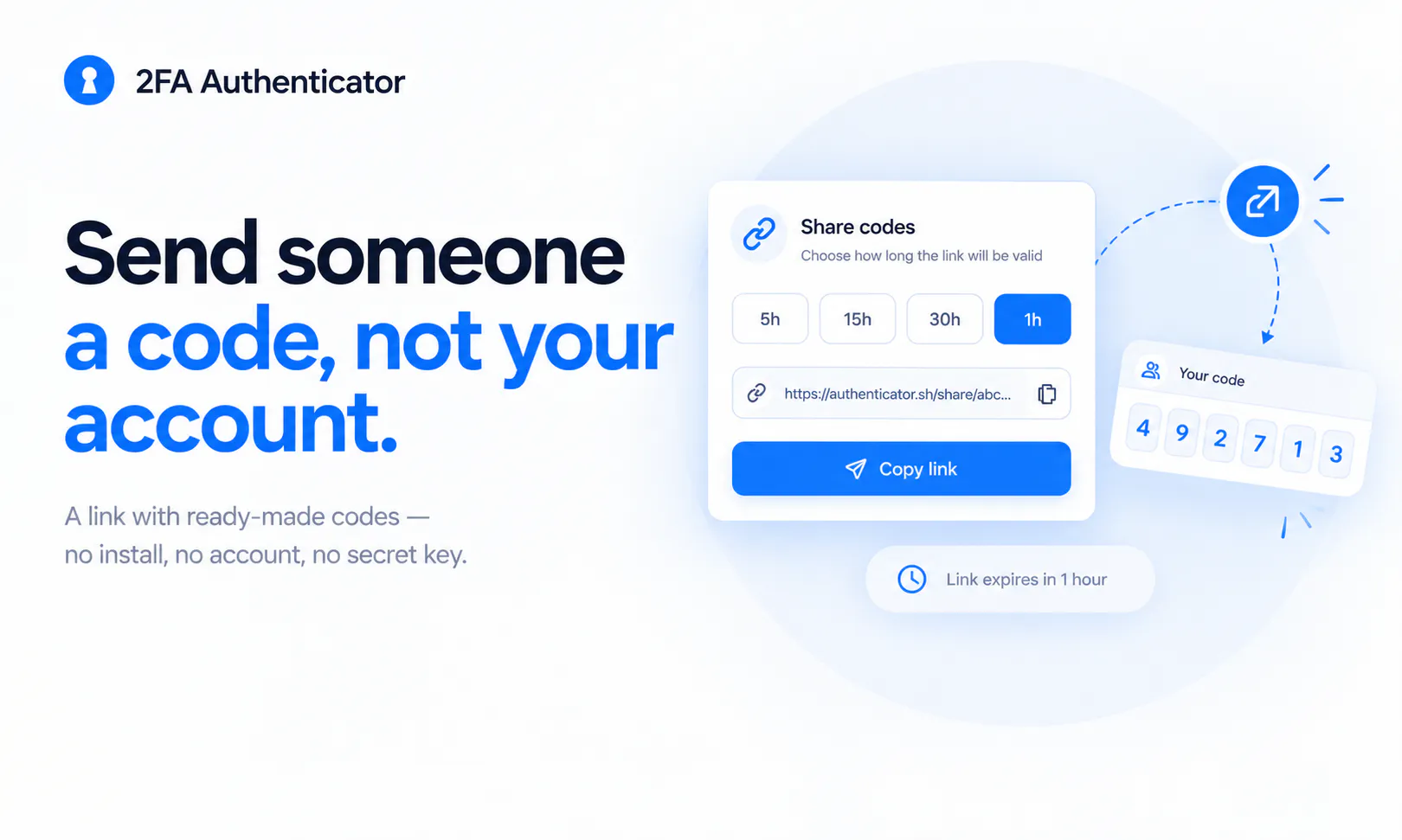
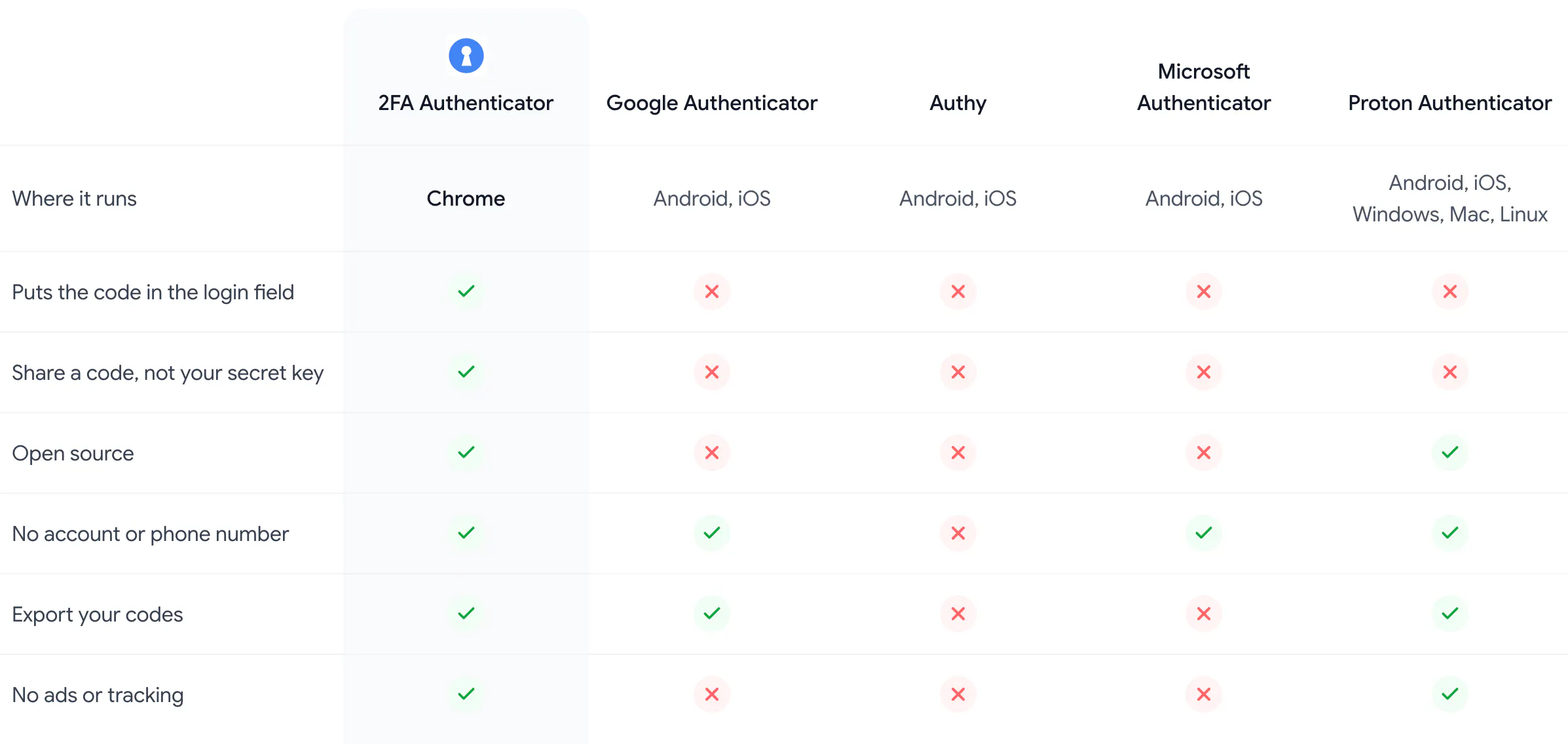
2FA Authenticator is a innovative browser-based tool designed for secure, private two-factor authentication. Unlike traditional authenticators that require a separate app, account setup, or cloud access, this extension lives directly in your Chrome browser, offering a seamless and privacy-focused experience. It generates one-click authentication codes locally, eliminating the need for server interaction or tracking, which appeals to privacy-conscious users. Features like password-protected vaults, biometric unlocking with Touch ID, and the ability to share pre-computed codes via links make it a versatile choice for managing 2FA tokens efficiently. The emphasis on no server dependency and minimal data exposure positions this tool as a trustworthy solution for enhancing online security without sacrificing convenience. Whether for personal use or professional workflows, 2FA Authenticator simplifies multi-factor authentication while respecting user privacy.
Screenshots
Pros
- ✓No server or cloud dependency, enhancing privacy
- ✓Quick, one-click access to authentication codes
- ✓Secure vault with password protection and biometric unlock
- ✓Easy sharing of pre-computed codes via links
- ✓Browser-based, eliminating need for additional apps or devices
Cons
- ✗Limited to Chrome browser, may not support other browsers
- ✗Features and updates depend on browser extension support
- ✗Potential learning curve for new users unfamiliar with browser extensions
Use Cases
Pricing
Pricing not verified
Quick Info
Topics
Makers

Alexander Lysanov
Alternatives
Similar Tools in Security & Privacy




Embed Badge
Add this badge to your website to show that 2FA Authenticator is featured on Visalytica.
<a href="https://www.visalytica.com/tool/2fa-authenticator" target="_blank" rel="noopener noreferrer" style="display:inline-flex;align-items:center;gap:6px;padding:6px 14px;background:#7c3aed;color:#fff;border-radius:8px;font-family:-apple-system,system-ui,sans-serif;font-size:13px;font-weight:600;text-decoration:none;transition:background .2s" onmouseover="this.style.background='#6d28d9'" onmouseout="this.style.background='#7c3aed'"><svg width="14" height="14" viewBox="0 0 24 24" fill="none" stroke="currentColor" stroke-width="2.5" stroke-linecap="round" stroke-linejoin="round"><path d="M12 20V10"/><path d="M18 20V4"/><path d="M6 20v-4"/></svg>Featured on Visalytica</a>