The Virtual OS Museum vs SKI
Side-by-side comparison of features, pros & cons, pricing, and community votes (2026).
🏆 SKI leads with 639 upvotes
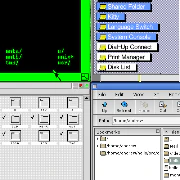
Relive vintage operating systems right on your desktop
The Virtual OS Museum offers a unique and comprehensive platform for enthusiasts, developers, and educators to explore and relive the history of computing through over 1,700 pre-installed vintage operating systems, dating from 1948 to the present day. Delivered within a single Linux virtual machine, this tool simplifies the process of accessing and running a wide array of OS environments without the need for complex setup or multiple installations. Its bundled support for popular virtualization tools like QEMU, VirtualBox, and UTM, along with one-click launchers for Windows and Linux, makes it accessible and user-friendly for both novices and experienced users. This expansive collection is perfect for historical exploration, software testing, educational demonstrations, and nostalgia trips, providing a rare chance to interact with decades of computing evolution in one convenient platform.
Pros
- Extensive collection of vintage operating systems spanning over 70 years
- Simplified one-click launching via integrated tools and support for multiple virtualization platforms
- All-in-one solution within a single Linux VM, reducing setup complexity
- Ideal for educational purposes, software preservation, and historical research
- Open source nature allows for customization and community contributions
Cons
- Requires some familiarity with virtualization environments for optimal use
- Potentially resource-intensive due to the large number of OS images
- No clear information on ongoing updates or support from the developers
Best for
- • Educational demonstrations of the evolution of operating systems
- • Software preservation and archival of vintage OS environments
- • Testing and development across multiple historical platforms
- • Nostalgia and hobbyist exploration of vintage computing
Pricing: Likely free and open source, given its open source category and the nature of virtual machine distributions; however, specific licensing details are not explicitly provided.

Free voice coding for Claude Code, Codex and more
SKI is an innovative voice coding tool designed for developers and professionals who want to boost their productivity through natural language interaction. Unlike traditional dictation software, SKI offers a conversational experience where the AI responds out loud, functioning like a real teammate. This allows users to build code at the speed of their thoughts, whether they’re working solo or collaborating in meetings. Its ambient design sits unobtrusively on the desktop, accessible with a simple keystroke, making it easy to activate and use on both Mac and Windows systems. By integrating with AI models like Claude Code and Codex, SKI transforms voice commands into executable code seamlessly, offering a fresh approach to coding and command execution that minimizes interruptions and maximizes flow. It's particularly suited for developers, technical writers, and teams seeking an innovative way to streamline their coding and communication processes.
Pros
- Voice interaction that provides real-time spoken responses, enhancing conversational coding
- Easy to activate and use with a simple key press, sitting unobtrusively on the desktop
- Supports multiple AI models like Claude Code and Codex for versatile coding assistance
- Free to use, making it accessible for individuals and small teams
- Cross-platform compatibility with Mac and Windows
Cons
- Still relatively new, so integration and stability might vary
- Limited advanced customization options or enterprise features at this stage
- Dependent on local machine performance for optimal operation
Best for
- • Real-time voice coding during solo development sessions
- • Building code live during meetings or presentations
- • Assisting with brainstorming or debugging through spoken commands
- • Creating quick prototypes or scripts without switching context
Pricing: Likely offers a free, open access model given its emphasis on being free and desktop-based, with potential plans for premium features or enterprise solutions in the future.