The Virtual OS Museum vs Clipto MCP
Side-by-side comparison of features, pros & cons, pricing, and community votes (2026).
🏆 Clipto MCP leads with 585 upvotes
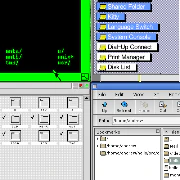
Relive vintage operating systems right on your desktop
The Virtual OS Museum offers a unique and comprehensive platform for enthusiasts, developers, and educators to explore and relive the history of computing through over 1,700 pre-installed vintage operating systems, dating from 1948 to the present day. Delivered within a single Linux virtual machine, this tool simplifies the process of accessing and running a wide array of OS environments without the need for complex setup or multiple installations. Its bundled support for popular virtualization tools like QEMU, VirtualBox, and UTM, along with one-click launchers for Windows and Linux, makes it accessible and user-friendly for both novices and experienced users. This expansive collection is perfect for historical exploration, software testing, educational demonstrations, and nostalgia trips, providing a rare chance to interact with decades of computing evolution in one convenient platform.
Pros
- Extensive collection of vintage operating systems spanning over 70 years
- Simplified one-click launching via integrated tools and support for multiple virtualization platforms
- All-in-one solution within a single Linux VM, reducing setup complexity
- Ideal for educational purposes, software preservation, and historical research
- Open source nature allows for customization and community contributions
Cons
- Requires some familiarity with virtualization environments for optimal use
- Potentially resource-intensive due to the large number of OS images
- No clear information on ongoing updates or support from the developers
Best for
- • Educational demonstrations of the evolution of operating systems
- • Software preservation and archival of vintage OS environments
- • Testing and development across multiple historical platforms
- • Nostalgia and hobbyist exploration of vintage computing
Pricing: Likely free and open source, given its open source category and the nature of virtual machine distributions; however, specific licensing details are not explicitly provided.

Let agents source clips from terabytes of your local video
Clipto MCP is an innovative AI-powered tool designed to transform how users manage and extract media from large collections of local videos, photos, and audio recordings. By integrating with AI agents like Claude and ChatGPT, it allows users to effortlessly source specific clips or segments through natural language descriptions, eliminating the need for manual browsing. Whether turning scripts into videos, locating scenes with particular topics, or creating rough cuts, Clipto MCP acts as a virtual assistant that streamlines media editing and searching processes. Its ability to handle terabytes of media and provide precise, context-aware results makes it especially valuable for content creators, video editors, and digital archivists seeking efficiency and automation in media management. What sets it apart is its seamless integration with AI agents, transforming complex file searches into simple conversational commands, saving time and effort while enhancing productivity.
Pros
- Enables natural language-based media searches and sourcing
- Handles large media libraries efficiently
- Integrates smoothly with AI assistants like Claude and ChatGPT
- Speeds up editing, research, and content creation workflows
- Reduces manual browsing and tedious file management
Cons
- Limited information on pricing and subscription models
- Requires familiarity with AI tools and commands
- Potentially dependent on AI accuracy for precise results
Best for
- • Turning scripts into videos by matching sentences with local footage
- • Finding all scenes or segments where specific topics or keywords are mentioned
- • Creating rough cuts or highlights from extensive video libraries
- • Searching and organizing media for archival or research purposes
Pricing: Likely operates on a freemium or subscription-based model, with basic features possibly available for free and paid plans offering advanced capabilities, especially for handling large media libraries and AI integrations. Exact pricing details are not publicly specified.