Face Swap AI · Photo Editor vs Picsart CLI
Side-by-side comparison of features, pros & cons, pricing, and community votes (2026).
🏆 Face Swap AI · Photo Editor leads with 0 upvotes
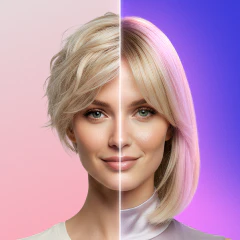
This app puts you in photos you never took
Face Swap AI · Photo Editor offers a fresh take on face swapping by providing a vast library of over 1,000 curated scene images across more than 20 categories, including memes, fashion, movie posters, and magazine covers. Unlike typical face swap apps that rely on limited templates and basic AI, this app emphasizes variety and ease of use, allowing users to insert their selfies into diverse scenes with just one tap. Designed specifically for Android users, it eliminates the need for prompts or waiting, making it ideal for quick, fun photo edits. The app is perfect for social media enthusiasts, meme creators, or anyone wanting to generate unique images effortlessly. Its regularly updated scene library ensures fresh content, keeping the experience engaging and dynamic.
Pros
- Extensive library of over 1,000 curated scenes across multiple categories
- Simple, one-tap process for quick results
- No prompts or waiting, providing instant photo creation
- Regular updates with new scenes added weekly
- User-friendly interface tailored for Android
Cons
- Android-only currently, limiting iOS users
- Limited customization options beyond scene selection
- No mention of advanced editing features or controls
Best for
- • Creating humorous memes by inserting faces into popular scenes
- • Generating unique social media content quickly
- • Personalized photo gifts or digital cards
- • Fashion or modeling portfolio mockups with different backgrounds
Pricing: Likely follows a freemium model, offering free access with optional in-app purchases or premium features; specific pricing details are not publicly disclosed.

Picsart's power right from your AI chat box
Picsart CLI is an innovative command-line interface that brings the power of Picsart’s advanced AI media generation directly into your terminal environment. Designed for developers, digital creators, and marketing professionals, this tool allows users to generate high-quality images, videos, and audio using over 140+ AI models without leaving their command line. Its seamless integration simplifies the creative workflow, making complex media creation accessible to those comfortable with terminal commands. The versatility of handling all three media types in one tool makes it a unique asset for rapid prototyping, content generation, or automation in creative projects. Whether you're crafting visuals for social media, developing multimedia content, or experimenting with AI-driven media synthesis, Picsart CLI offers a robust, fast, and flexible solution to elevate your projects.
Pros
- Access to 140+ advanced AI models for diverse media generation
- Seamless CLI integration ideal for developers and automation
- Supports image, video, and audio creation in one tool
- Reduces need for multiple software platforms, streamlining workflows
- Easy to install and use with minimal setup
Cons
- Requires familiarity with command-line interfaces
- Limited visual or GUI-based interaction for less technical users
- Potential reliance on internet connection for AI model access
Best for
- • Automating social media content creation
- • Rapid prototyping of multimedia assets
- • Generating custom images, videos, or audio for marketing campaigns
- • Integrating media generation into AI workflows or chatbots
Pricing: Likely operates on a freemium model, offering basic access for free with premium plans providing expanded features and model access. Exact pricing details are not specified, but typical for SaaS AI tools.