AppFunctions vs Tasker
Side-by-side comparison of features, pros & cons, pricing, and community votes (2026).
🏆 Tasker leads with 10 upvotes

Expose Android app capabilities to OS agents via Jetpack
AppFunctions is a powerful Jetpack library and Android platform API designed for developers aiming to enhance their apps' integration with OS-level agents like Gemini. By allowing developers to declare app capabilities as executable tools, it facilitates seamless communication between the app and OS agents, enabling functionalities to be triggered directly from the device's operating system. The standout feature is its ability to run functions on-device using live app state, eliminating the need for external servers and ensuring faster, more secure interactions. This makes AppFunctions particularly appealing to Android developers targeting devices running Android 16 and above who want to extend their app's capabilities in a secure and efficient manner. Its integration into the Android ecosystem simplifies the process of exposing app features to OS agents, opening new possibilities for automation and AI-driven interactions within Android environments.
Pros
- Enables direct on-device execution of app capabilities, reducing latency
- No external server dependency enhances security and privacy
- Deep integration with Android Jetpack simplifies development
- Supports real-time app state interaction for dynamic functionalities
- Ideal for developers targeting Android 16+ seeking automation features
Cons
- Limited to Android devices running Android 16 and above
- Requires familiarity with Jetpack and Android platform APIs
- Currently has limited adoption and community support
Best for
- • Integrating app capabilities with AI assistants like Gemini
- • Automating device functions based on app state
- • Creating custom OS-level tools that interact with app features
- • Enhancing app security by reducing server dependencies
Pricing: Likely offered as a free library for Android developers, with no additional licensing costs. Since it's a Jetpack library and API, it probably falls under open source or included in Android SDKs, but specific premium features or support might incur costs depending on usage.
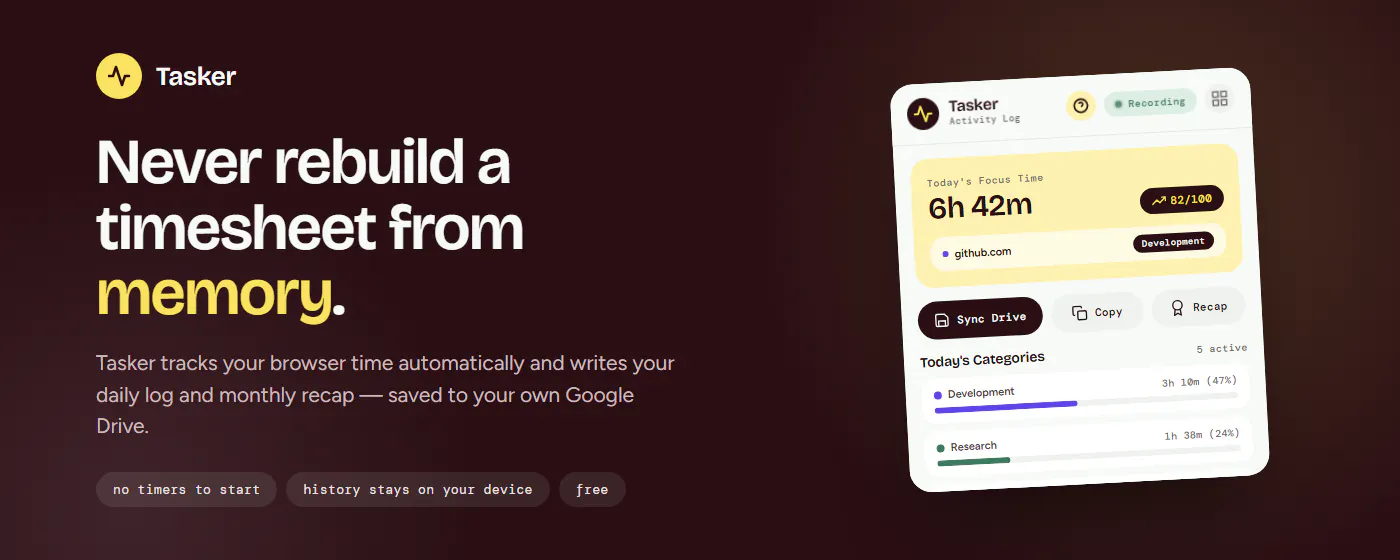
Know where your time went. Without anyone else knowing.
Tasker is a privacy-focused, local-first browsing activity tracker designed for users who want to understand and optimize their digital habits without sacrificing privacy. It records browsing sessions locally on the device, providing detailed daily summaries and monthly recaps to help users gain insights into their browsing patterns. Additionally, Tasker offers an optional synchronization feature that allows users to securely back up their data to their own Google Drive, ensuring control over sensitive information. Its emphasis on local storage and privacy makes it ideal for individuals who value data security while seeking a streamlined way to monitor and reflect on their online activity. With its straightforward interface and focus on user privacy, Tasker stands out as a tool for those looking to boost productivity without exposing their browsing data to third parties.
Pros
- Privacy-centric with local data storage
- Easy-to-understand daily summaries and monthly recaps
- Optional secure sync to Google Drive for backups
- User-friendly interface suitable for non-technical users
- Useful for self-monitoring and productivity improvement
Cons
- Limited features compared to comprehensive browsing analytics tools
- No real-time activity monitoring or advanced integrations
- Potential learning curve for users unfamiliar with local-first tools
Best for
- • Tracking personal browsing habits to improve productivity
- • Maintaining private browsing records without third-party access
- • Analyzing daily internet usage for better time management
- • Securely backing up browsing summaries to Google Drive
Pricing: Likely offers a freemium model with core features available at no cost and optional premium features or cloud sync upgrades for a fee, potentially starting around $5-$10 per month. Exact pricing details are not specified but typical for similar privacy-oriented tools.