AI App Store Screenshots vs Zoviz Canvas
Side-by-side comparison of features, pros & cons, pricing, and community votes (2026).
🏆 AI App Store Screenshots leads with 0 upvotes
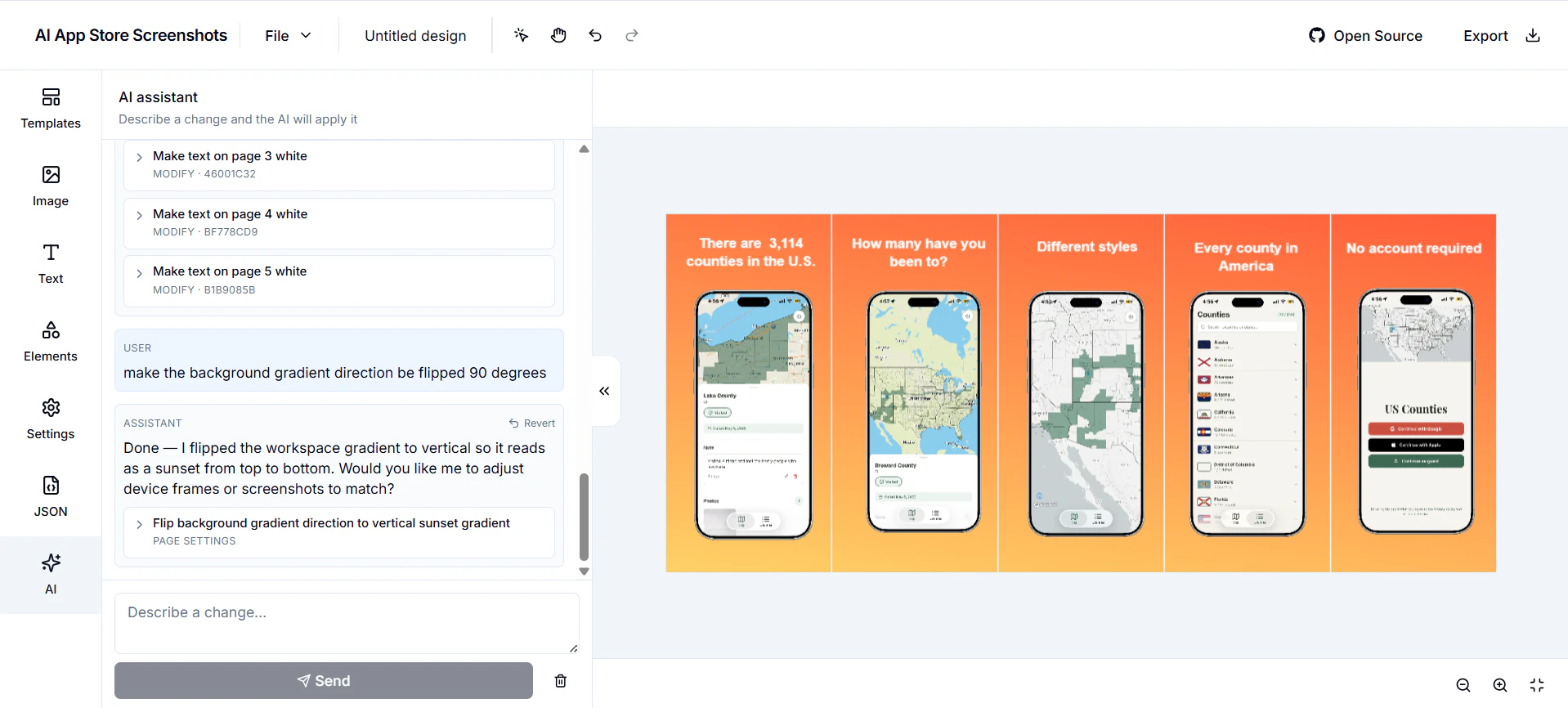
Free and Open Source App Store screenshot designer using AI
AI App Store Screenshots is a specialized design tool tailored for creating compelling app store visuals. Unlike generic graphic design platforms, it focuses solely on crafting app store screenshots, making it ideal for developers and marketers aiming to optimize their app listings. Its standout feature is the integration of AI, allowing users to modify designs effortlessly through AI-driven suggestions and edits. Additionally, it offers a developer-first approach with JSON import/export capabilities, enabling seamless integration into existing workflows. Being open source and self-hostable, it appeals to privacy-conscious users and teams wanting full control over their tools. Essentially, it combines the simplicity of Canva with the power and flexibility needed for app marketing, making it a unique asset for app promotion.
Pros
- Open source and self-hostable, ensuring full control and customization
- AI-powered editing simplifies design adjustments and enhances creativity
- Developer-friendly with JSON import/export capabilities
- Tailored specifically for app store screenshot creation, optimizing for app marketing
Cons
- May have a steeper learning curve for users unfamiliar with JSON or developer-centric tools
- Limited to app store screenshot design, not suitable for broader graphic needs
- Relatively new with no extensive user base or community support yet
Best for
- • Creating and optimizing app store screenshots for mobile apps
- • Designing marketing visuals for app launch campaigns
- • Iterative editing of app visuals with AI assistance
- • Developers integrating customized screenshot templates into their workflows
Pricing: Free and open source, allowing users to self-host and modify without licensing costs; additional features or hosting services may have optional paid support or hosting plans depending on the community or development stage.
Build AI image and video pipelines on one canvas
Zoviz Canvas is an innovative AI-driven workspace that allows users to build complex image and video pipelines seamlessly on a single canvas. Designed for creators, marketers, and video producers, it integrates multiple AI models—including the latest Seedance 2.0—into one cohesive environment. Users can generate images, edit them via prompts, animate sequences, and assemble longer videos, making it ideal for producing product clips, short films, advertisements, and animations. Its intuitive node-based interface facilitates a smooth workflow where each step naturally feeds into the next, streamlining the creation process. Additionally, Zoviz Canvas offers ready-made templates that enable users to clone entire pipelines with a single click, saving time and effort. As part of Zoviz’s branding suite, it caters to teams and collaborative projects, making advanced AI video and image production accessible and scalable.
Pros
- All-in-one node workspace for image and video AI pipelines
- Supports cutting-edge models like Seedance 2.0
- Intuitive visual workflow with seamless step integration
- Pre-built templates for quick setup and cloning
- Built for team collaboration and scalability
Cons
- Limited information on pricing structure, potentially costly for extensive use
- Learning curve for users unfamiliar with node-based workflows
- No mention of specific export or integration options
Best for
- • Creating product demo clips and promotional videos
- • Designing animated short films and art projects
- • Producing social media ads with AI-generated visuals
- • Rapid prototyping of AI-driven visual content pipelines
Pricing: Likely offers a freemium model with free tier options, with paid plans starting around $20-$50/month, providing additional features, templates, and team collaboration tools. Exact pricing details are not specified and may vary based on usage and team size.