AfterStorm vs My Computer by Manus AI
Side-by-side comparison of features, pros & cons, pricing, and community votes (2026).
🏆 My Computer by Manus AI leads with 509 upvotes
Find help. Give help. Recover.
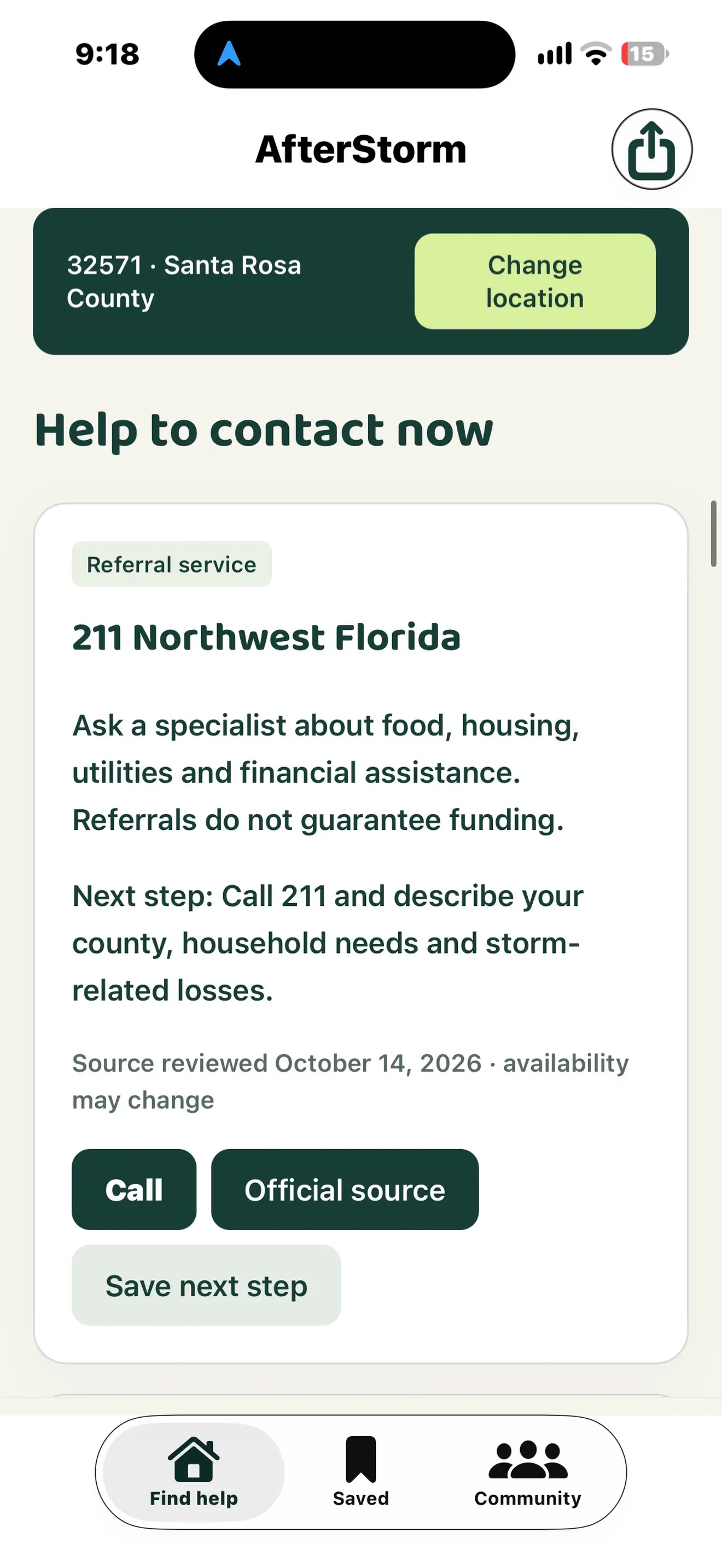
AfterStorm is a compassionate web app designed to assist families in navigating recovery resources after a disaster. By simply entering their ZIP code and confirming their county, users can easily find tailored support options such as food aid, cleanup assistance, and financial help. The platform provides localized listings for Santa Rosa and Escambia, FL, while offering national pathways for other U.S. counties, making it a versatile tool for disaster recovery across the country. Its user-friendly interface guides families step-by-step, ensuring they access the most relevant resources without the need for an account or personal data sharing. Built by a Florida Panhandle family who experienced disaster firsthand, AfterStorm emphasizes privacy and accessibility, with a private recovery tracker stored only in the user’s browser. An iOS app is also in development, broadening its reach and convenience. Overall, AfterStorm is a thoughtful, community-driven solution that empowers families to find help and support efficiently during difficult times.
Pros
- User-friendly, step-by-step guidance tailored to local needs
- No account or personal data collection ensures privacy
- Localized resources for specific communities and national pathways for others
- Built by a family with firsthand disaster experience, adding authenticity
- Free to use, making it accessible to all families in need
Cons
- Currently lacks an iOS app, which may limit mobile accessibility for some users
- Limited information on the size and scope of available resources
- No user ratings or reviews available yet, which could impact trust
Best for
- • Families seeking immediate disaster recovery resources in their local area
- • Community organizations coordinating aid and volunteer efforts
- • Individuals planning for disaster preparedness and resource access
- • Local governments or agencies providing support and information
Pricing: Pricing not verified

Automate files, apps, and workflows with Manus Desktop
My Computer by Manus AI transforms the way users interact with their local files, applications, and workflows by bringing AI automation directly onto their desktop. Compatible with both macOS and Windows, this tool enables users to organize photos, rename invoices, and even build simple desktop apps without coding. Its core feature, Manus Desktop, allows AI agents to work seamlessly with local resources, making automation more efficient and accessible. By integrating with connectors, Projects, Agents, and Scheduled Tasks, users can create complex workflows that operate right on their computer, reducing the need to rely solely on cloud-based solutions. This makes it ideal for individuals and teams seeking to improve productivity through AI-driven automation in their everyday tasks.
Pros
- Enables local file and app automation without cloud dependency
- Supports building custom workflows with connectors and scheduled tasks
- User-friendly interface suitable for non-coders
- Available on both macOS and Windows
- Facilitates complex task automation for productivity enhancement
Cons
- May require some learning curve for advanced workflows
- Limited information on free tier or pricing details
- Primarily designed for desktop users, less cloud-focused capabilities
Best for
- • Organizing and managing large photo libraries locally
- • Batch renaming and processing invoices
- • Building simple desktop applications without coding
- • Automating routine file management tasks
Pricing: Likely operates on a freemium model with a free tier and paid plans, but specific pricing details are not publicly confirmed. Users can expect subscription options for advanced features or higher usage levels.