tldt — Too Long, Didn't Tokenize vs Inspector
Side-by-side comparison of features, pros & cons, pricing, and community votes (2026).
🏆 Inspector leads with 621 upvotes
Protect your data and agents while saving tokens
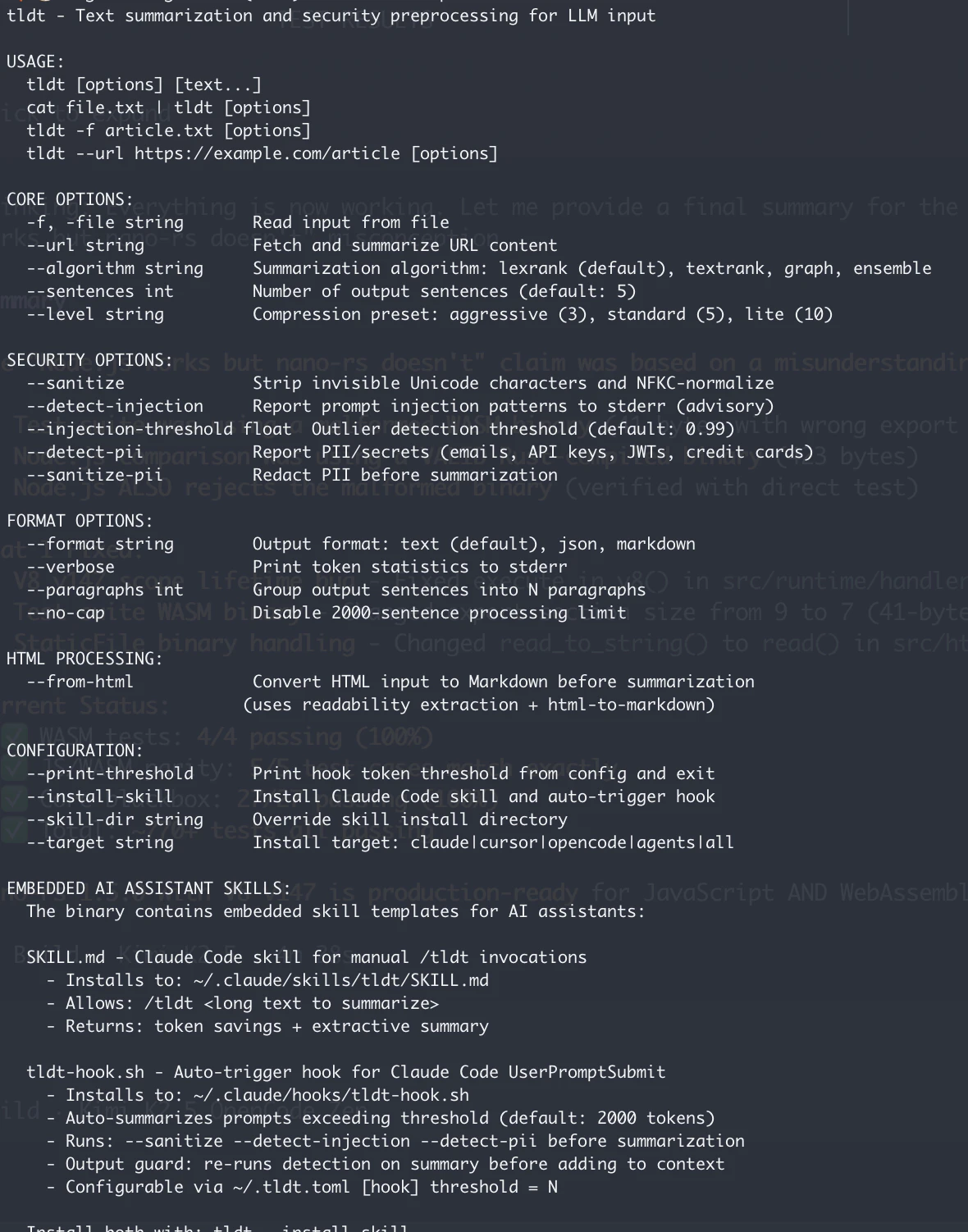
tldt — Too Long, Didn't Tokenize — is a powerful CLI and library designed to optimize the way long texts are handled in AI workflows. Leveraging machine learning, it intelligently summarizes lengthy content while preserving context, making it ideal for reducing token usage in API calls, document uploads, and web crawling. Its suite of features includes support for LexRank and TextRank algorithms, HTML-to-Markdown conversion, Unicode confusables protection, text sanitization, and PII/API key cleaning, all without requiring API keys. This makes it especially suitable for developers, data scientists, and AI agents aiming to enhance privacy, security, and efficiency. Its Go library and coding skills support enable seamless integration into custom workflows and applications, offering a tailored approach to managing complex textual data. What sets tldt apart is its focus on protecting sensitive data and optimizing token consumption, ensuring cost-effective and secure AI interactions.
Pros
- Reduces token consumption with advanced summarization techniques
- Supports multiple safety and security features like PII and API key cleaning
- No API keys required, enhancing privacy and ease of use
- Converts HTML to markdown and sanitizes text for cleaner data
- Provides a Go library for integration into custom AI workflows
Cons
- Limited information on pricing and deployment options
- May require technical expertise to implement effectively
- Currently lacks extensive user documentation or support community
Best for
- • Summarizing lengthy API responses to reduce token costs
- • Cleaning and sanitizing web-scraped data before analysis
- • Protecting sensitive information like PII and API keys in workflows
- • Converting HTML content into markdown for easier processing
Pricing: Likely follows a freemium model with core features available for free, with potential paid plans for advanced integrations or enterprise use. Exact pricing details are not specified, but the tool’s open-source approach suggests affordability and flexibility.

Figma for Claude Code
Inspector reimagines the design-to-code workflow by integrating visual editing directly with AI-powered code generation. Designed for developers, designers, and product teams, it allows users to click on UI elements within a design interface, make visual adjustments, and have those changes automatically reflected in the underlying codebase. The tool connects seamlessly with popular AI agents like Claude Code, Codex, and Cursor, streamlining the often tedious handoff process between design and development. Its unique approach eliminates the need for manual code edits or back-and-forth communication, enabling rapid prototyping and iteration. By bridging the gap between visual design and code, Inspector enhances productivity and fosters a more collaborative workflow, making it ideal for teams seeking to accelerate their development cycles with AI-powered precision.
Pros
- Intuitive visual interface for code adjustments
- Seamless integration with popular AI coding agents
- Reduces manual coding and design handoff time
- Supports rapid prototyping and iteration
- Streamlines collaboration between designers and developers
Cons
- May have limitations with complex UI components
- Dependent on AI accuracy, which can vary
- Learning curve for users unfamiliar with AI-assisted editing
Best for
- • Quick UI tweaks during product development
- • Design validation and iteration without extensive code changes
- • Bridging the gap between design and development teams
- • Rapid prototyping of new features
Pricing: Likely operates on a freemium model, offering basic features for free with paid plans providing additional integrations and advanced editing capabilities; exact pricing details are not publicly specified.