PostureGuard vs 1Code
Side-by-side comparison of features, pros & cons, pricing, and community votes (2026).
🏆 1Code leads with 598 upvotes
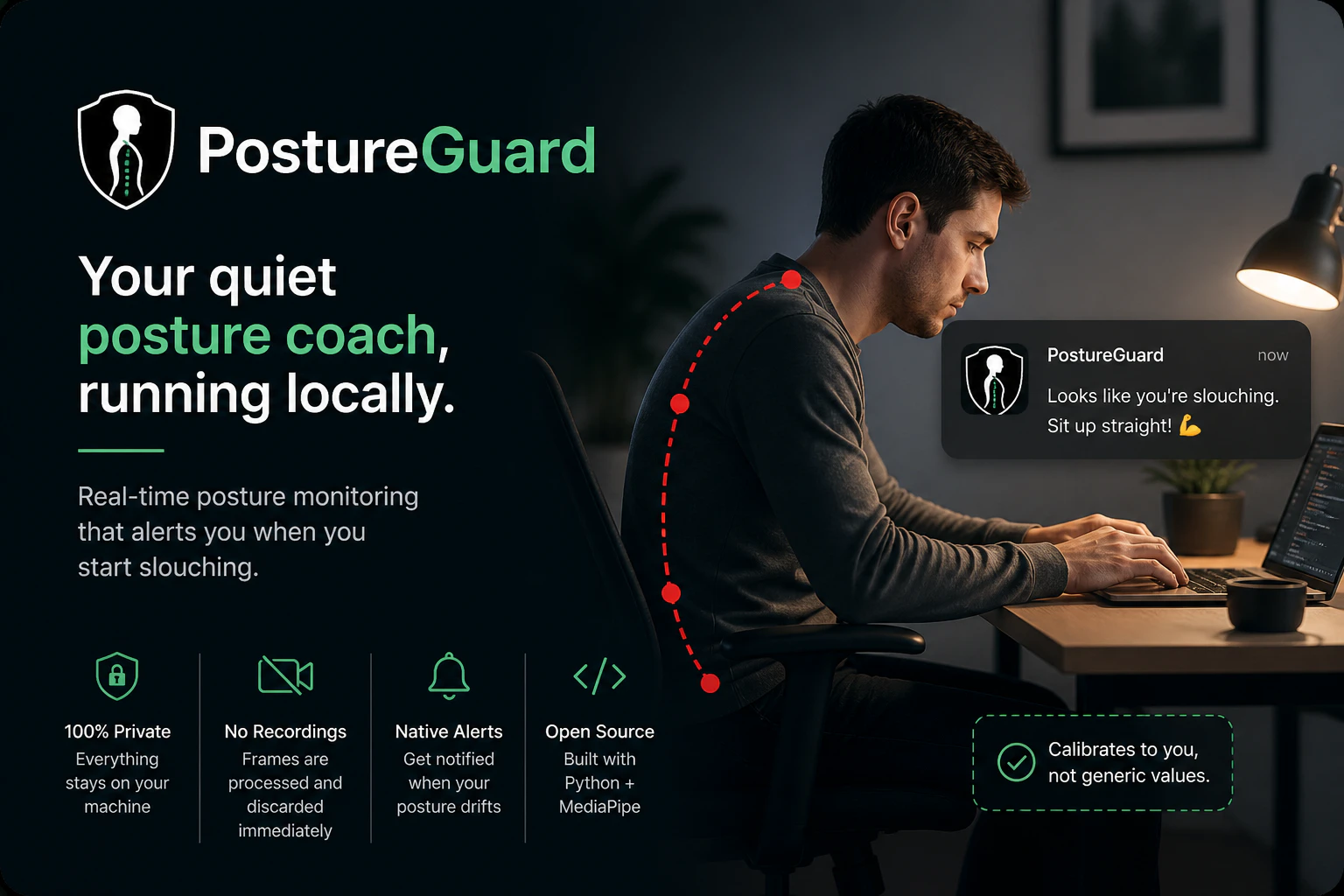
Your quiet posture coach, running locally
PostureGuard is a privacy-focused posture monitoring tool that helps users maintain proper ergonomics by leveraging their webcam locally. Unlike many health apps that rely on cloud processing or require account creation, PostureGuard runs entirely on the user's machine, ensuring data privacy and security. It uses Python and MediaPipe to analyze your posture in real-time, providing silent background monitoring with native OS notifications when slouching is detected. After a quick calibration, users can enjoy an unobtrusive way to improve their sitting habits during work or study sessions. Its open-source nature encourages transparency and customization, making it ideal for tech-savvy users who prioritize privacy and control. Whether you work long hours at a desk or want a simple posture reminder, PostureGuard offers an effective, lightweight solution that respects user privacy while promoting healthier habits.
Pros
- Privacy-centric with local processing and no cloud dependency
- Open-source and customizable for tech-savvy users
- Native OS notifications for seamless user experience
- Easy setup with quick calibration
- Lightweight and runs silently in the background
Cons
- Requires technical knowledge for customization or troubleshooting
- Limited to webcam-based posture detection, which may be less accurate in certain environments
- No advanced analytics or detailed reporting features
Best for
- • Reminding remote workers to maintain good posture during long work sessions
- • Students studying at a desk to prevent slouching and neck strain
- • Ergonomic training for new employees in an organization
- • Personal health improvement for posture correction
Pricing: Free and open source, with no paid plans or subscription fees.

Open source Cursor-like UI for Claude Code
1Code is an innovative open source UI tool designed for developers working with Claude Code, an AI coding assistant. It offers a Cursor-like interface that enables users to run multiple Claude Code agents simultaneously, significantly accelerating feature development and testing. Available on Mac and Web, 1Code provides the flexibility to run locally or remotely, with live previews for mobile and desktop, making it easy to monitor agents from anywhere. Its parallel execution capability is particularly beneficial for teams seeking to streamline AI-driven coding workflows, enabling faster iteration and more efficient collaboration. The tool's user-friendly interface and cross-platform support make it an appealing choice for AI developers, coding enthusiasts, and teams integrating Claude Code into their development stacks.
Pros
- Supports parallel execution of multiple Claude Code agents, boosting productivity
- Cross-platform compatibility: works on Mac and Web with live preview features
- Open source, allowing for customization and community-driven improvements
- User-friendly, Cursor-like UI simplifies managing multiple agents
- Enables remote monitoring and testing, including mobile previews
Cons
- Primarily focused on Claude Code, limiting versatility with other AI models
- May require some technical expertise to set up and customize
- Limited detailed documentation available for advanced features
Best for
- • Parallel testing and debugging of AI coding agents
- • Accelerating feature development with multiple Claude Code instances
- • Remote monitoring of AI agents during development on multiple devices
- • Integrating AI code assistants into local and cloud-based workflows
Pricing: Likely free and open source, offering users the ability to customize and deploy without licensing costs. Additional features or enterprise support may be available through community or third-party services.