PDF table of contents vs Claude Dispatch
Side-by-side comparison of features, pros & cons, pricing, and community votes (2026).
🏆 Claude Dispatch leads with 681 upvotes
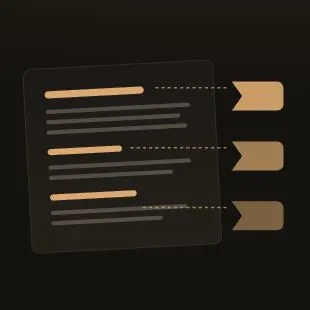
Add clickable bookmarks to PDFs, right in your browser
PDF table of contents is a browser-based tool designed to enhance the navigability of long PDF documents. It automatically detects headings within a PDF, allowing users to easily organize and edit their hierarchy and page numbers. Once customized, it generates a version of the PDF with clickable bookmarks, making it simple to jump between sections. Its main appeal lies in its privacy-focused approach—everything runs locally in the browser without uploads or account requirements—making it a secure and quick solution for users who frequently work with lengthy PDFs. Being free to use and requiring only a PDF with selectable text, it is ideal for students, researchers, professionals, and anyone needing better document navigation without complex software.
Pros
- Runs entirely locally in the browser, ensuring privacy and security
- Automatically detects and allows editing of headings for easy customization
- Creates clickable bookmarks for improved document navigation
- No account, installation, or uploads required, making it quick and accessible
- Free to use
Cons
- Requires PDFs with selectable text; not suitable for scanned images or scanned PDFs
- Limited to basic bookmark creation—may lack advanced features found in dedicated PDF editors
- Dependent on browser performance; may struggle with very large or complex PDFs
Best for
- • Organizing lengthy research papers or academic theses for easier navigation
- • Creating professional reports or manuals with clickable table of contents
- • Preparing legal or technical documents that require quick section access
- • Students annotating and structuring textbooks or lecture notes
Pricing: Pricing not verified

Text Claude from your phone using “Dispatch”
Claude Dispatch is an innovative productivity tool that allows users to communicate with Claude directly from their phones via a dedicated app called 'Dispatch.' Operating seamlessly on desktops, it grants users the ability to interact with Claude while accessing their files, browsing the web, building reports, or executing various tasks—all within a sandboxed and local environment. The platform emphasizes user control, requiring explicit approval before Claude takes any action, ensuring safety and trust. Its persistent conversation feature enables continuous, context-aware interactions, making it ideal for ongoing projects or complex workflows. Designed for busy professionals, researchers, and developers, Claude Dispatch enhances productivity by integrating AI-powered assistance into everyday tasks in a secure and user-centric manner. Its unique blend of mobile accessibility, local operation, and robust control sets it apart from other AI assistants, making it a versatile tool for those who value privacy and efficiency.
Pros
- Mobile accessibility allows seamless interaction from the phone
- Runs locally and sandboxed for enhanced privacy and security
- Persistent conversations enable context-aware assistance
- User approval before executing tasks ensures safety
- Integrates with files, web browsing, and report building
Cons
- Requires setup and familiarity with desktop and mobile apps
- May have a learning curve for new users
- Limited information on advanced customization options
Best for
- • Managing and analyzing files or data on the go
- • Building reports and summaries quickly from mobile devices
- • Executing routine tasks with AI assistance while maintaining control
- • Conducting research by browsing and querying from a mobile interface
Pricing: Likely follows a freemium model with free access to basic features and paid plans offering extended capabilities, given its functionality and target audience. Exact pricing details are not publicly available but are expected to be subscription-based.