Interactive Simulations in Gemini vs Audio Lip Sync Pro for Blender
Side-by-side comparison of features, pros & cons, pricing, and community votes (2026).
🏆 Interactive Simulations in Gemini leads with 368 upvotes

Gemini now lets you play with the concepts you ask about
Interactive Simulations in Gemini brings an innovative leap in educational and professional visualization by transforming complex concepts into engaging, manipulable 3D simulations within chat interfaces. Designed for students, educators, and professionals alike, this tool enables users to explore topics dynamically rather than through static images or text. With the ability to ask Gemini to 'show me' or 'help me visualize,' users can generate tailored, interactive models that enhance understanding and retention. Its seamless integration of AI-powered visualization makes learning more immersive and interactive, breaking down barriers often caused by abstract or difficult-to-visualize ideas. This feature stands out by providing real-time, customizable simulations that can be manipulated on the fly, making it ideal for online learning, technical training, and collaborative projects.
Pros
- Creates customizable, interactive 3D visualizations directly within chat
- Enhances understanding of complex topics through manipulation and exploration
- User-friendly and accessible for non-technical users
- Integrates seamlessly into existing workflows and learning environments
- Encourages engagement and active learning
Cons
- Still in early stages; may have limited simulation complexity
- Requires a stable internet connection for optimal performance
- Potentially limited customization options compared to dedicated simulation software
Best for
- • Educational content explanation for students and teachers
- • Technical training and demonstrations of complex machinery or processes
- • Product design visualization and prototyping
- • Scientific research and data modeling
Pricing: Likely operates on a freemium model, offering basic interactive features for free with premium plans providing advanced simulations and customization options, starting around $10-$20/month. Exact pricing details are not publicly confirmed.
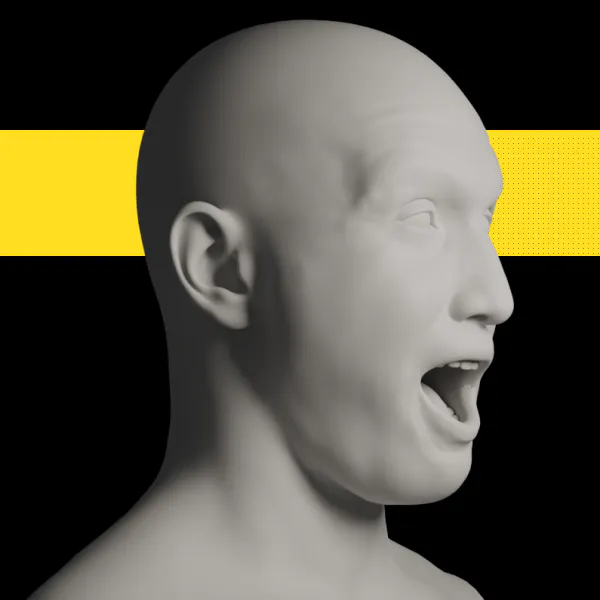
Generate high-quality facial animations, direct from audio.
Audio Lip Sync Pro for Blender is a specialized tool designed to streamline the process of creating realistic facial animations directly from audio clips. Perfect for animators and 3D modelers, it automates the lip-syncing process, saving time and enhancing accuracy. Its primary strength lies in performing all processing locally, ensuring user privacy and eliminating the need for accounts, subscriptions, or internet connectivity. Currently supporting meshes with ARKit blendshapes within Blender via the Video Sequencer, the tool offers a seamless workflow for animators working on character lip movements. Future releases for Unity and Maya promise to expand its versatility across popular animation platforms. This one-time purchase software appeals to professionals seeking reliable, high-quality lip-sync animations without ongoing costs or cloud dependency.
Pros
- Performs all processing locally, ensuring privacy and security
- One-time purchase with lifelong ownership
- Supports ARKit blendshapes within Blender for accurate lip animations
- Easy to integrate into existing Blender workflows
- Future support for Unity and Maya enhances versatility
Cons
- Limited current platform support (only Blender, with Unity and Maya upcoming)
- Requires familiarity with Blender and mesh setup
- Features may be limited compared to more comprehensive animation suites
Best for
- • Creating lip-sync animations for character models in Blender
- • Automating facial animation workflows to save time
- • Developing high-quality facial expressions for game characters
- • Producing realistic dialogue animations for short films or commercials
Pricing: Pricing not verified