GitCity vs Prelint
Side-by-side comparison of features, pros & cons, pricing, and community votes (2026).
🏆 Prelint leads with 664 upvotes
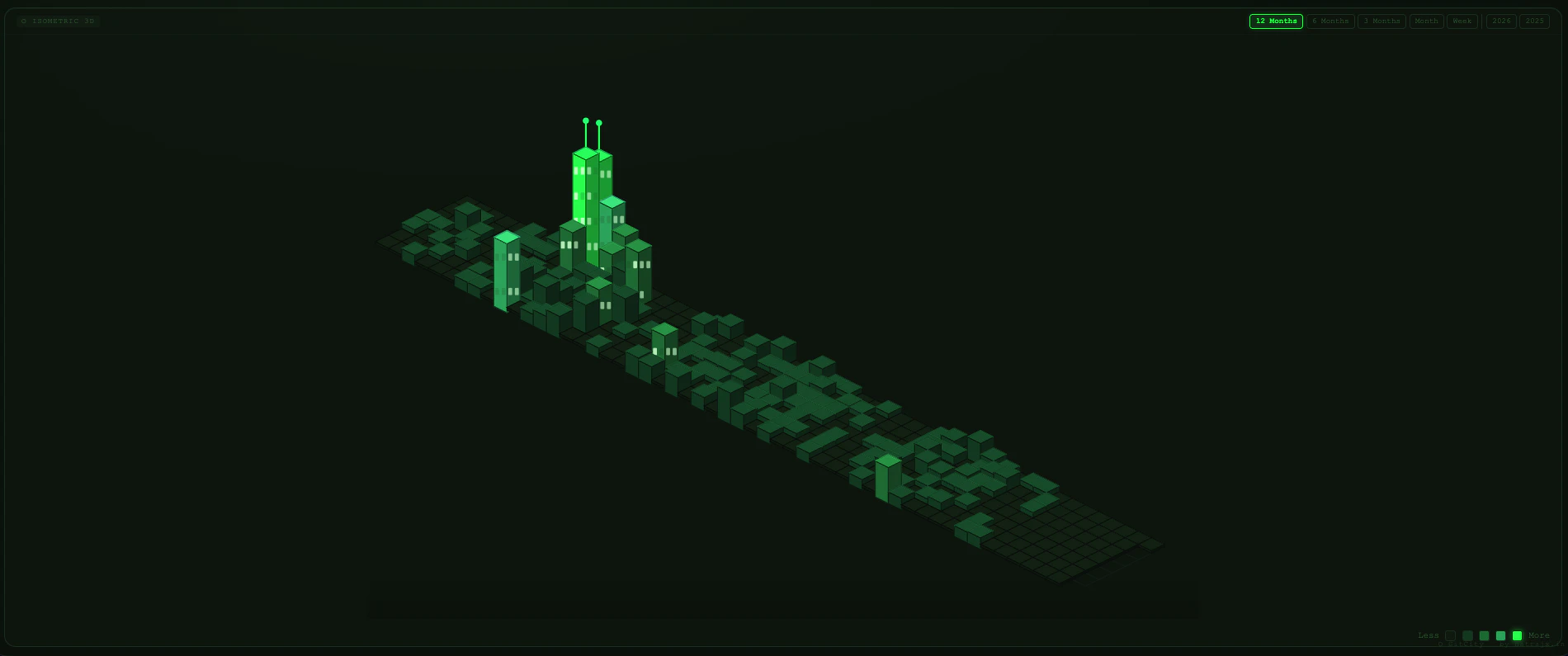
Your GitHub contributions as 3D city you can drive through
GitCity offers a creative and engaging way for developers to visualize their GitHub activity as an interactive 3D cityscape. By transforming commits into buildings, the tool provides a unique visual representation of coding consistency and project growth. Users can explore their contribution history in a novel isometric view, and switch to simulation mode to drive through their personalized city, making the experience both fun and insightful. With themes like Matrix, Noir, Aurora, Ocean, Gold, and Ice, GitCity caters to a variety of aesthetic preferences, enhancing the immersive experience. Its simplicity—no login required, just entering a GitHub username—ensures quick and easy access for anyone interested in a playful visualization of their coding habits. As an open-source project, GitCity appeals to developers who enjoy blending creativity with data, making it a standout among developer tools and GitHub visualization options.
Pros
- Unique and creative visualization of GitHub contributions
- No login required, easy to use with just a username
- Multiple themes for personalized aesthetics
- Driveable city simulation adds an interactive element
- Open source, free to use and customize
Cons
- Limited to GitHub activity; may not suit all data visualization needs
- Primarily a novelty tool, not for in-depth analytics
- Performance may vary with very large contribution histories
Best for
- • Motivating developers to maintain consistent contribution habits
- • Showcasing GitHub activity in portfolio or presentations
- • Educational demonstrations of version control engagement
- • Creative projects or art installations based on code activity
Pricing: Free and open source, with no paid tiers or subscription costs.

Prevent product drift in AI-written code
Prelint is an innovative AI-powered code review tool designed to ensure code quality and consistency in teams leveraging AI-generated code. By automatically reviewing pull requests against architectural decision records (ADRs), documentation, and past decisions, Prelint helps prevent product drift and maintains alignment with project standards. Its unique capability to catch issues early—especially in environments where multiple AI reviewers are used—makes it an essential addition for modern development workflows. With the ability to identify approximately 40% of issues before merging, Prelint significantly reduces bugs and rework, leading to more reliable and maintainable codebases. Ideal for software engineering teams seeking to integrate AI into their CI/CD pipeline, it offers a proactive approach to code validation that complements traditional review processes.
Pros
- Automates comprehensive code review against ADRs, docs, and past decisions
- Prevents product drift early in the development lifecycle
- Reduces post-deployment bugs and rework
- Enhances team collaboration by enforcing standards
- Effective in environments with multiple AI reviewers
Cons
- May require initial setup to align with specific ADRs and documentation
- Dependent on the quality of input data and existing documentation
- Potential false positives in complex or rapidly evolving projects
Best for
- • Reviewing AI-generated code to ensure adherence to project standards
- • Preventing feature creep and maintaining product consistency
- • Automating code review in CI/CD pipelines
- • Supporting teams using multiple AI code reviewers
Pricing: Likely operates on a subscription-based model, possibly with tiered plans based on team size or usage volume. A free tier or trial may be available to evaluate its capabilities before committing to paid plans.