GitCity vs InsForge
Side-by-side comparison of features, pros & cons, pricing, and community votes (2026).
🏆 InsForge leads with 645 upvotes
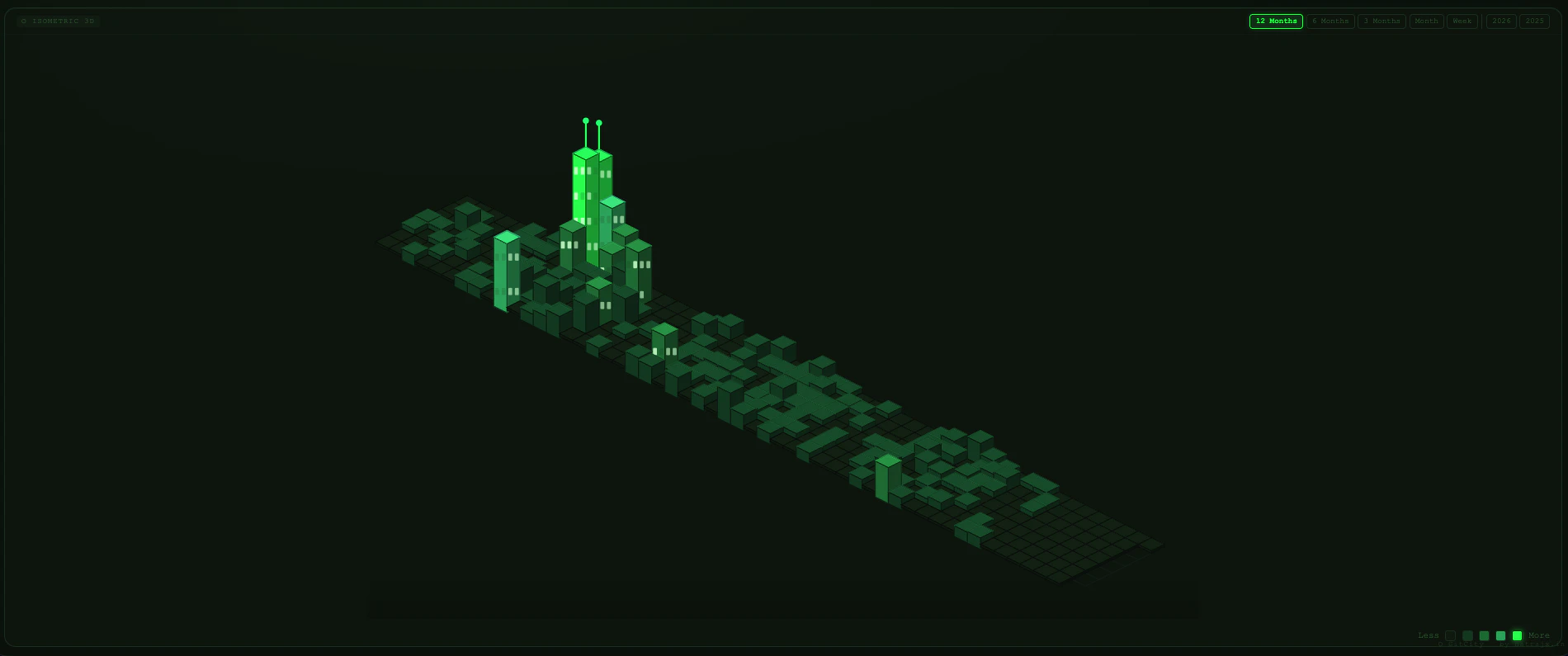
Your GitHub contributions as 3D city you can drive through
GitCity offers a creative and engaging way for developers to visualize their GitHub activity as an interactive 3D cityscape. By transforming commits into buildings, the tool provides a unique visual representation of coding consistency and project growth. Users can explore their contribution history in a novel isometric view, and switch to simulation mode to drive through their personalized city, making the experience both fun and insightful. With themes like Matrix, Noir, Aurora, Ocean, Gold, and Ice, GitCity caters to a variety of aesthetic preferences, enhancing the immersive experience. Its simplicity—no login required, just entering a GitHub username—ensures quick and easy access for anyone interested in a playful visualization of their coding habits. As an open-source project, GitCity appeals to developers who enjoy blending creativity with data, making it a standout among developer tools and GitHub visualization options.
Pros
- Unique and creative visualization of GitHub contributions
- No login required, easy to use with just a username
- Multiple themes for personalized aesthetics
- Driveable city simulation adds an interactive element
- Open source, free to use and customize
Cons
- Limited to GitHub activity; may not suit all data visualization needs
- Primarily a novelty tool, not for in-depth analytics
- Performance may vary with very large contribution histories
Best for
- • Motivating developers to maintain consistent contribution habits
- • Showcasing GitHub activity in portfolio or presentations
- • Educational demonstrations of version control engagement
- • Creative projects or art installations based on code activity
Pricing: Free and open source, with no paid tiers or subscription costs.

Give agents everything they need to ship fullstack apps
InsForge is an innovative open-source backend platform designed specifically for agentic development, enabling AI agents to build, deploy, and scale fullstack applications with ease. Its comprehensive suite includes databases, authentication, storage, model gateways, and edge functions, all accessible through a semantic layer that makes complex backend operations understandable and operable by AI agents. Whether deploying on InsForge Cloud or your own domain, developers can rapidly create robust, scalable apps with minimal friction. What sets InsForge apart is its focus on empowering AI-driven development workflows, making it ideal for teams leveraging AI agents to automate app creation, testing, and deployment. Its open-source nature, combined with a growing community (2.3K GitHub stars), ensures flexibility and continuous improvement, making it a compelling choice for innovative developers and organizations exploring agent-based app development.
Pros
- Open source backend with active community support
- Semantic layer simplifies backend operations for AI agents
- Comprehensive features including databases, auth, storage, and edge functions
- Flexible deployment options to InsForge Cloud or own domain
- Designed specifically for agentic development workflows
Cons
- Relatively new with a smaller user base compared to mainstream platforms
- May require technical expertise to set up and optimize
- Limited out-of-the-box integrations with third-party tools
Best for
- • Building fullstack applications driven by AI agents
- • Automating app deployment and scaling processes
- • Rapid prototyping of agent-controlled apps
- • Creating scalable backend services for AI-powered platforms
Pricing: Likely free and open source, with optional paid hosting on InsForge Cloud or custom deployment options; specific pricing details are not publicly specified.