ETLFunnel Community Edition v1.1.0 vs 1Code
Side-by-side comparison of features, pros & cons, pricing, and community votes (2026).
🏆 1Code leads with 598 upvotes
Data pipelines as code — self-hosted, zero black boxes
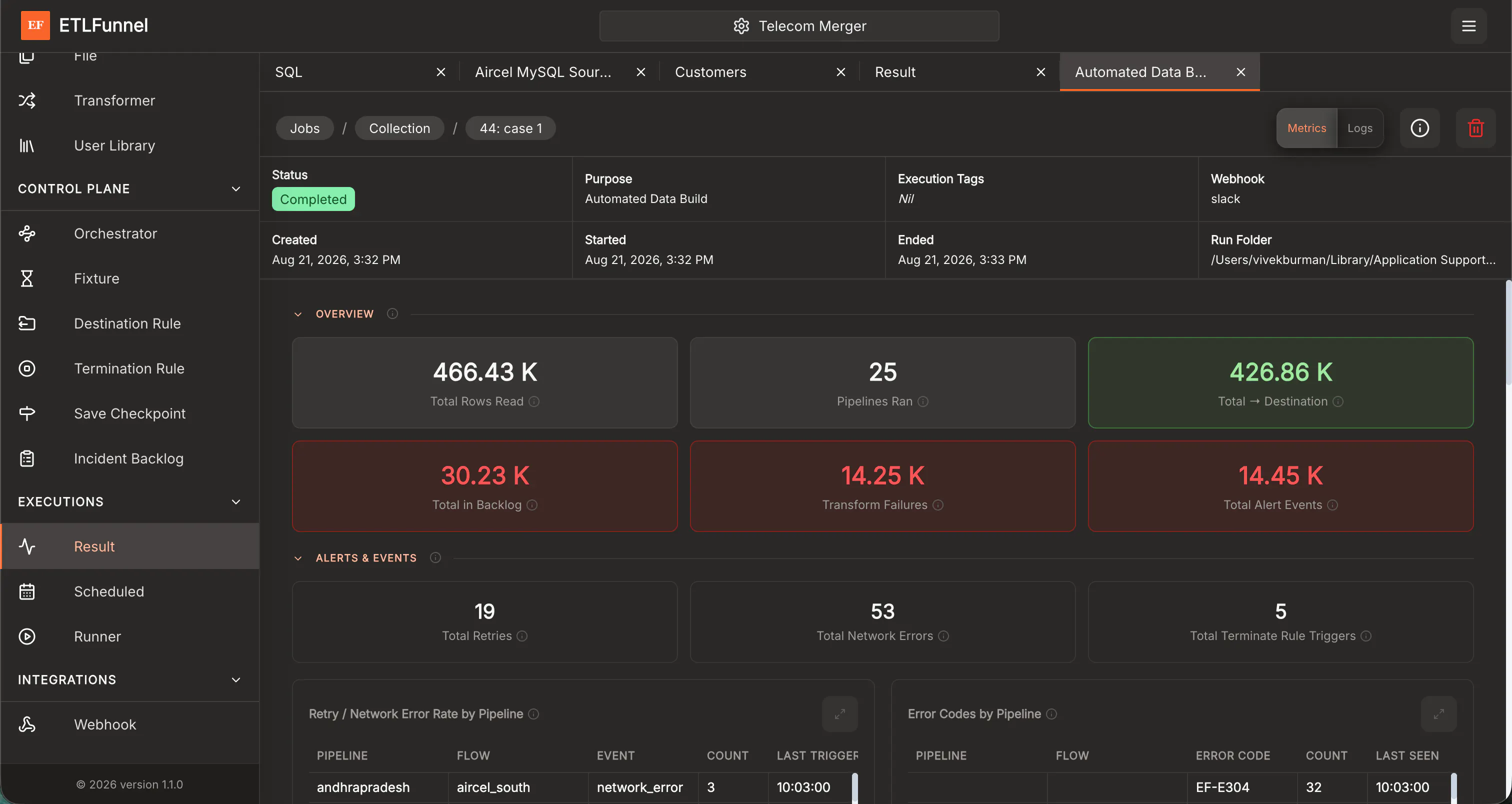
ETLFunnel Community Edition v1.1.0 is a powerful, code-first ETL platform designed for data engineers and developers who prefer building data pipelines through code rather than visual interfaces. Built in Go, it allows users to write, deploy, and manage data workflows with full control over their infrastructure, whether on local machines or on-premises servers via Docker. Its self-hosted nature ensures no vendor lock-in, providing transparency and security for sensitive data projects. The latest version introduces an in-app dashboard for monitoring run health and throughput, along with expanded connector support including Avro and Parquet formats, and webhook alerts for Slack and Teams, enhancing observability and collaboration. ETLFunnel’s focus on self-hosting, combined with its orchestration and auto-scaling features, makes it ideal for organizations seeking a customizable, scalable, and transparent data pipeline solution that adheres to best practices in software engineering and data management.
Pros
- Self-hosted with full control over infrastructure and data
- Code-first approach enables flexible, customizable pipelines
- Built-in orchestration and auto-scaling for scalability
- Enhanced observability with in-app dashboard and real-time monitoring
- Supports a wide range of connectors including Avro and Parquet
Cons
- Requires familiarity with programming and command-line tools
- Lack of a visual interface may pose a learning curve for non-developers
- Community edition may have limited enterprise features
Best for
- • Building custom data pipelines for analytics and reporting
- • Migrating from vendor lock-in to a self-managed ETL solution
- • Processing large datasets with support for modern formats like Parquet
- • Implementing real-time data monitoring and alerting systems
Pricing: Pricing not verified

Open source Cursor-like UI for Claude Code
1Code is an innovative open source UI tool designed for developers working with Claude Code, an AI coding assistant. It offers a Cursor-like interface that enables users to run multiple Claude Code agents simultaneously, significantly accelerating feature development and testing. Available on Mac and Web, 1Code provides the flexibility to run locally or remotely, with live previews for mobile and desktop, making it easy to monitor agents from anywhere. Its parallel execution capability is particularly beneficial for teams seeking to streamline AI-driven coding workflows, enabling faster iteration and more efficient collaboration. The tool's user-friendly interface and cross-platform support make it an appealing choice for AI developers, coding enthusiasts, and teams integrating Claude Code into their development stacks.
Pros
- Supports parallel execution of multiple Claude Code agents, boosting productivity
- Cross-platform compatibility: works on Mac and Web with live preview features
- Open source, allowing for customization and community-driven improvements
- User-friendly, Cursor-like UI simplifies managing multiple agents
- Enables remote monitoring and testing, including mobile previews
Cons
- Primarily focused on Claude Code, limiting versatility with other AI models
- May require some technical expertise to set up and customize
- Limited detailed documentation available for advanced features
Best for
- • Parallel testing and debugging of AI coding agents
- • Accelerating feature development with multiple Claude Code instances
- • Remote monitoring of AI agents during development on multiple devices
- • Integrating AI code assistants into local and cloud-based workflows
Pricing: Likely free and open source, offering users the ability to customize and deploy without licensing costs. Additional features or enterprise support may be available through community or third-party services.