DayPin vs Heimdal by Bearlog
Side-by-side comparison of features, pros & cons, pricing, and community votes (2026).
🏆 DayPin leads with 0 upvotes
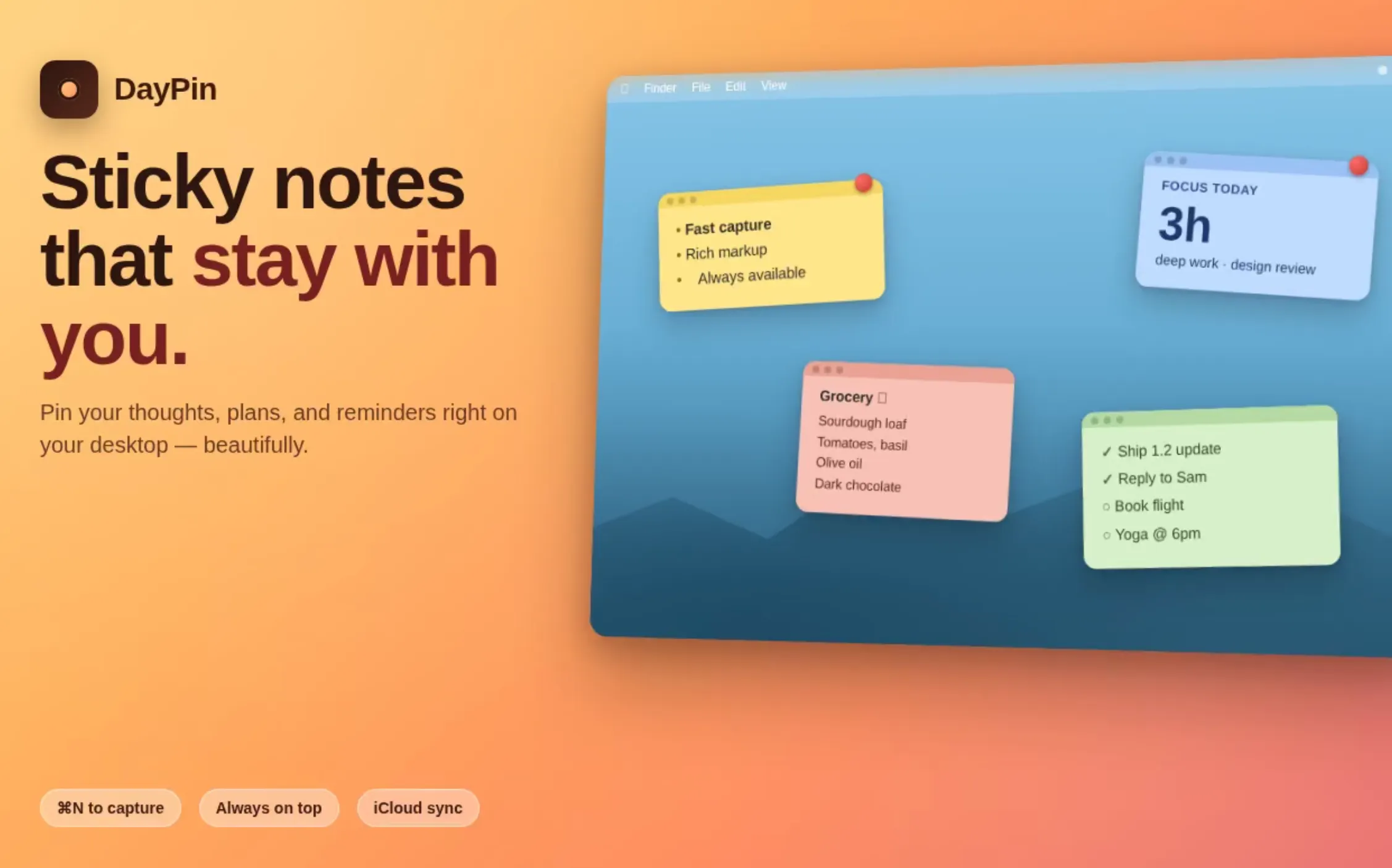
Native menu-bar sticky notes for Mac — offline, $3 Pro
DayPin is a lightweight, native Mac application that transforms your desktop into an organized space for sticky notes. Designed with simplicity and privacy in mind, it allows users to quickly jot down ideas, reminders, or important information using a seamless hotkey or menu bar icon. Built with SwiftUI, it offers a sleek, native experience without requiring an account or telemetry, ensuring your notes remain private. The app supports rich Markdown formatting, including bold, italics, headings, checklists, code blocks, and quotes, all within an intuitive WYSIWYG interface. Its customizable features, such as color options, opacity control, and hotkey customization, make note-taking flexible and personalized. The Pro version, priced at a one-time $3 fee, unlocks unlimited pins, cloud sync via iCloud, export options, search functionality, and advanced tools, making it ideal for power users and professionals seeking a simple yet powerful notes solution on their Mac.
Pros
- Native macOS application with a smooth SwiftUI interface
- Offline functionality with no account or telemetry required
- Rich Markdown support with WYSIWYG editing
- Customizable hotkeys, colors, and opacity
- Affordable one-time Pro upgrade for enhanced features
Cons
- Limited advanced organizational features compared to full note-taking apps
- No collaborative or real-time editing capabilities
- Pro version requires a one-time payment, which may be a barrier for some users
Best for
- • Quickly capturing and organizing ideas during meetings
- • Creating visual reminders for important tasks
- • Maintaining project or context-specific notes on the desktop
- • Using checklists for task tracking
Pricing: DayPin offers a free version with basic features. The Pro version is a one-time purchase of $3, unlocking unlimited notes, cloud sync, export options, and advanced tools. This straightforward pricing model makes it accessible for casual users and professionals alike.

Turn your device into a face recognition time clock
Heimdal by Bearlog is an innovative attendance tracking solution that transforms any device with a camera and a web browser into a contactless, facial recognition-based time clock. Designed for workplaces seeking a seamless and secure way to manage employee check-ins and check-outs, Heimdal eliminates the need for traditional fingerprint scanners or ID cards. Employees can enroll effortlessly via a group invite link on their smartphones, and the system performs a liveness check to prevent fraud. Once enrolled, staff simply tap IN or OUT, look at the screen, and their attendance is recorded instantly with privacy-conscious measures—no photos are stored after enrollment. The platform also offers built-in features like attendance summaries and CSV exports, making it easy for HR teams to analyze and manage attendance data. Its versatility and ease of use make Heimdal ideal for small to medium-sized organizations seeking a modern, contactless attendance solution that reduces hardware costs and simplifies onboarding.
Pros
- No additional hardware required—uses existing devices with cameras
- Contactless and quick check-in process with facial recognition
- Built-in liveness check enhances security and prevents spoofing
- Easy enrollment via group invite links on personal devices
- Automatic attendance summaries and export options for reporting
Cons
- Dependent on device camera quality for accuracy
- Potential privacy concerns if data handling is not transparent
- Limited information on pricing and scalability for large organizations
Best for
- • Small to medium-sized offices implementing contactless attendance
- • Remote or hybrid teams requiring flexible, easy check-in solutions
- • Educational institutions managing student attendance
- • Event venues tracking staff or attendee presence
Pricing: Likely operates on a subscription model with tiered plans based on the number of users or devices, possibly including a free trial or basic tier. Exact pricing details are not publicly specified, but it emphasizes affordability by removing hardware costs and simplifying deployment.