Crew vs Raycast 2.0
Side-by-side comparison of features, pros & cons, pricing, and community votes (2026).
🏆 Raycast 2.0 leads with 335 upvotes
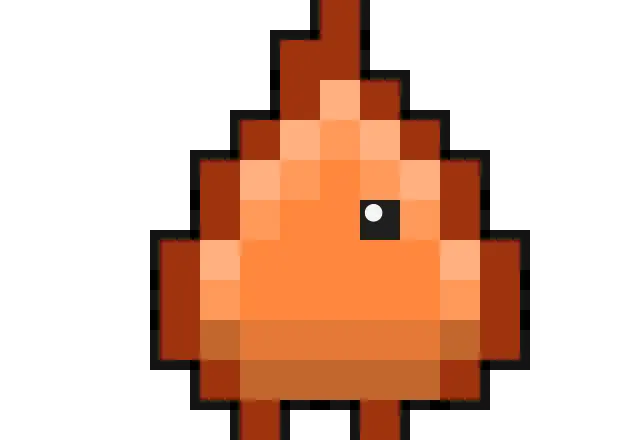
A tiny crew of monsters for your Claude Code agents
Crew is a playful and innovative macOS application designed to add a touch of personality to your Claude Code AI interactions. By assigning each chat and subagent a charming pixel monster avatar, it transforms mundane coding sessions into engaging experiences. The monsters walk, dig, sleep, and wave based on the activity status of your AI agents, providing visual cues that make multitasking more delightful. This tool is perfect for developers and AI enthusiasts who want a fun, visual layer to their productivity environment without compromising privacy, as nothing ever leaves your Mac. Its lightweight design and charming animations make it an appealing addition for those who appreciate visual feedback and a bit of whimsy while working with AI tools.
Pros
- Adds a fun, engaging visual element to AI coding sessions
- Keeps all data local on your Mac, ensuring privacy
- Lightweight and easy to install with no complex setup
- Enhances user experience with charming animations
- Free for macOS users
Cons
- Limited to macOS, reducing cross-platform accessibility
- Primarily aesthetic; may not impact productivity directly
- Lacks advanced customization options
Best for
- • Making long coding or AI training sessions more enjoyable
- • Visualizing activity status of multiple Claude Code agents
- • Enhancing the workspace for developers who appreciate playful UI elements
- • Demonstrating AI workflow in educational settings
Pricing: Free for macOS, with no mention of paid plans or premium features, making it accessible for all users without additional costs.

The next generation of Raycast is here
Raycast 2.0 revolutionizes the way Mac users interact with their workflows by combining a powerful launcher with advanced AI integrations. Built on a new, robust foundation, it offers a sleek interface that seamlessly connects your favorite apps, automations, and ongoing projects. Its standout feature is the ability to connect your own ChatGPT or Claude accounts, enabling AI-powered actions that streamline repetitive tasks, enhance productivity, and provide intelligent insights directly from your shortcut menu. Whether you're a developer, designer, or productivity enthusiast, Raycast 2.0 elevates your daily routines by blending traditional command execution with cutting-edge AI capabilities, making it an indispensable tool for modern workflows.
Pros
- Seamless integration of AI with daily commands and extensions
- Customizable with personal ChatGPT or Claude accounts for tailored AI interactions
- Includes Automations for recurring tasks to save time
- Projects feature helps organize ongoing work efficiently
- Redesigned from the ground up for better performance and usability
Cons
- May require some setup to connect and configure AI accounts
- Limited user base on Product Hunt at launch, indicating early adoption stage
- Potential learning curve for new users unfamiliar with automation features
Best for
- • Automating repetitive tasks across multiple apps
- • Using AI to generate content, summaries, or code snippets
- • Organizing and managing ongoing projects within the launcher
- • Quickly executing complex workflows with AI-assisted commands
Pricing: Pricing not verified