Codex Micro vs 1Code
Side-by-side comparison of features, pros & cons, pricing, and community votes (2026).
🏆 1Code leads with 598 upvotes
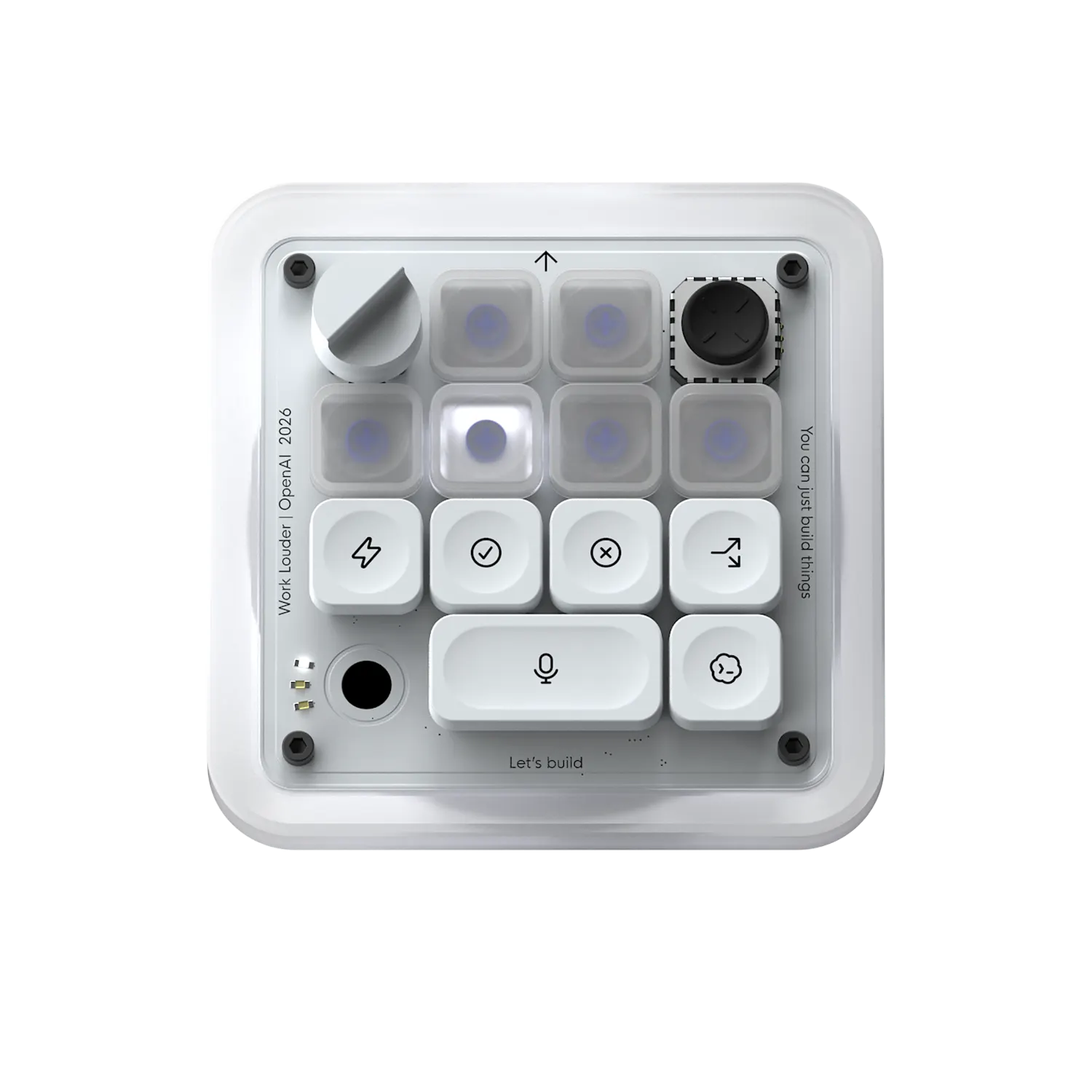
Tactile controls for your Codex agents
Codex Micro is a compact, tactile keyboard designed specifically for developers and AI enthusiasts working with OpenAI's Codex agents. It offers physical keys mapped to common skills and commands, allowing users to execute complex tasks with a simple press, thereby improving efficiency and reducing context switching. The device also features a dial to dynamically adjust reasoning levels, giving users quick control over their agent's behavior, and live RGB status lights to monitor multiple agents in real-time without needing to switch windows. Its ergonomic design and intuitive controls make it ideal for those managing multiple AI workflows or requiring rapid, precise interaction with AI models. By combining hardware controls with visual feedback, Codex Micro enhances productivity and provides a tactile, immersive experience for AI developers and power users.
Pros
- Physical keys for quick access to common AI skills and commands
- Dial for real-time adjustment of reasoning levels
- Live RGB status lights for instant agent monitoring
- Compact, ergonomic design suitable for desktop setup
- Enhances workflow efficiency for AI development
Cons
- Limited compatibility outside specific workflows with Codex agents
- Additional hardware may require some setup and learning curve
- No integrated software or customizable key mappings detailed
Best for
- • Managing multiple Codex AI agents simultaneously
- • Rapid execution of predefined AI skills and commands
- • Adjusting AI reasoning levels on the fly during development
- • Monitoring agent progress visually without window switching
Pricing: Specific pricing details are not provided, but it is likely a hardware product with a one-time purchase fee. There may be optional accessories or upgrades, but no subscription model is indicated.

Open source Cursor-like UI for Claude Code
1Code is an innovative open source UI tool designed for developers working with Claude Code, an AI coding assistant. It offers a Cursor-like interface that enables users to run multiple Claude Code agents simultaneously, significantly accelerating feature development and testing. Available on Mac and Web, 1Code provides the flexibility to run locally or remotely, with live previews for mobile and desktop, making it easy to monitor agents from anywhere. Its parallel execution capability is particularly beneficial for teams seeking to streamline AI-driven coding workflows, enabling faster iteration and more efficient collaboration. The tool's user-friendly interface and cross-platform support make it an appealing choice for AI developers, coding enthusiasts, and teams integrating Claude Code into their development stacks.
Pros
- Supports parallel execution of multiple Claude Code agents, boosting productivity
- Cross-platform compatibility: works on Mac and Web with live preview features
- Open source, allowing for customization and community-driven improvements
- User-friendly, Cursor-like UI simplifies managing multiple agents
- Enables remote monitoring and testing, including mobile previews
Cons
- Primarily focused on Claude Code, limiting versatility with other AI models
- May require some technical expertise to set up and customize
- Limited detailed documentation available for advanced features
Best for
- • Parallel testing and debugging of AI coding agents
- • Accelerating feature development with multiple Claude Code instances
- • Remote monitoring of AI agents during development on multiple devices
- • Integrating AI code assistants into local and cloud-based workflows
Pricing: Likely free and open source, offering users the ability to customize and deploy without licensing costs. Additional features or enterprise support may be available through community or third-party services.