Calerto for Mac vs Claude Computer Use
Side-by-side comparison of features, pros & cons, pricing, and community votes (2026).
🏆 Claude Computer Use leads with 668 upvotes
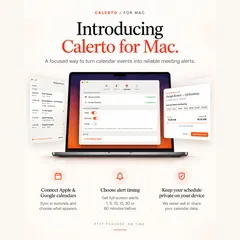
Full-screen meeting alerts for your Mac
Calerto for Mac is a dedicated app designed to ensure you never miss a meeting again. By transforming your calendar into full-screen alarms, it provides a more noticeable and less dismissible alert than standard notifications. Ideal for busy professionals who rely heavily on timely meetings, Calerto offers customizable prep time before each event, ensuring you're ready in advance. Its seamless integration with Apple and Google Calendar keeps your schedule synchronized, while the menu bar countdown provides a quick glance at what's next. The app also features automatic launch at login, pause options for alarms, and a robust auto-alarm mode for your entire week, making it a comprehensive meeting management tool. Privacy is prioritized as all calendar data remains on your device, giving users peace of mind. With its focus on proactive meeting alerts and user-friendly features, Calerto aims to eliminate the stress of being late or unprepared, transforming how Mac users handle their schedules.
Pros
- Full-screen, unavoidable meeting alerts improve noticeability
- Customizable pre-meeting prep time enhances readiness
- Syncs with both Apple and Google Calendar for versatility
- Menu bar countdown provides quick schedule overview
- Data remains on device, ensuring privacy
Cons
- Currently no user reviews or high vote count on Product Hunt
- Requires manual setup for each meeting's prep time
- Feature set may be limited for advanced scheduling needs
Best for
- • Professionals who frequently attend back-to-back meetings and need prominent alerts
- • Remote workers managing multiple calendars from different providers
- • People who want to improve punctuality and reduce late arrivals
- • Users who prefer full-screen notifications over standard pop-ups
Pricing: Pricing not verified

Enable Claude to use your computer to complete tasks
Claude Computer Use by Anthropic is an innovative AI-powered tool that transforms your AI assistant into an autonomous computer operator. By enabling Claude to perform tasks such as clicking, typing, browsing, and running applications, it bridges AI reasoning with real-world action, making complex workflows more efficient. Designed for professionals, researchers, and busy individuals, this tool allows users to delegate routine or time-consuming tasks directly from their phones, freeing up valuable time and reducing manual effort. Its ability to autonomously execute commands on your Mac or other computers makes it a unique integration of AI intelligence and practical productivity. Whether managing emails, generating reports, or navigating web content, Claude Computer Use offers a seamless way to enhance daily workflows with AI-driven automation.
Pros
- Automates complex tasks with minimal user intervention
- Enables remote task execution via mobile devices
- Bridges AI reasoning with real-world computer actions
- Supports a variety of productivity tasks
- Easy integration with existing workflows
Cons
- Requires initial setup and configuration
- Dependent on internet connectivity and system permissions
- Limited detail on pricing and availability at this time
Best for
- • Automating email management and responses
- • Generating reports and data analysis
- • Web browsing and research tasks
- • Managing files and applications on a Mac
Pricing: Likely operates on a freemium model with a free tier for basic use, and paid plans potentially starting around $10-$20/month for advanced features, though exact details are not publicly confirmed.