BackdropKit vs Canvasvid
Side-by-side comparison of features, pros & cons, pricing, and community votes (2026).
🏆 BackdropKit leads with 15 upvotes
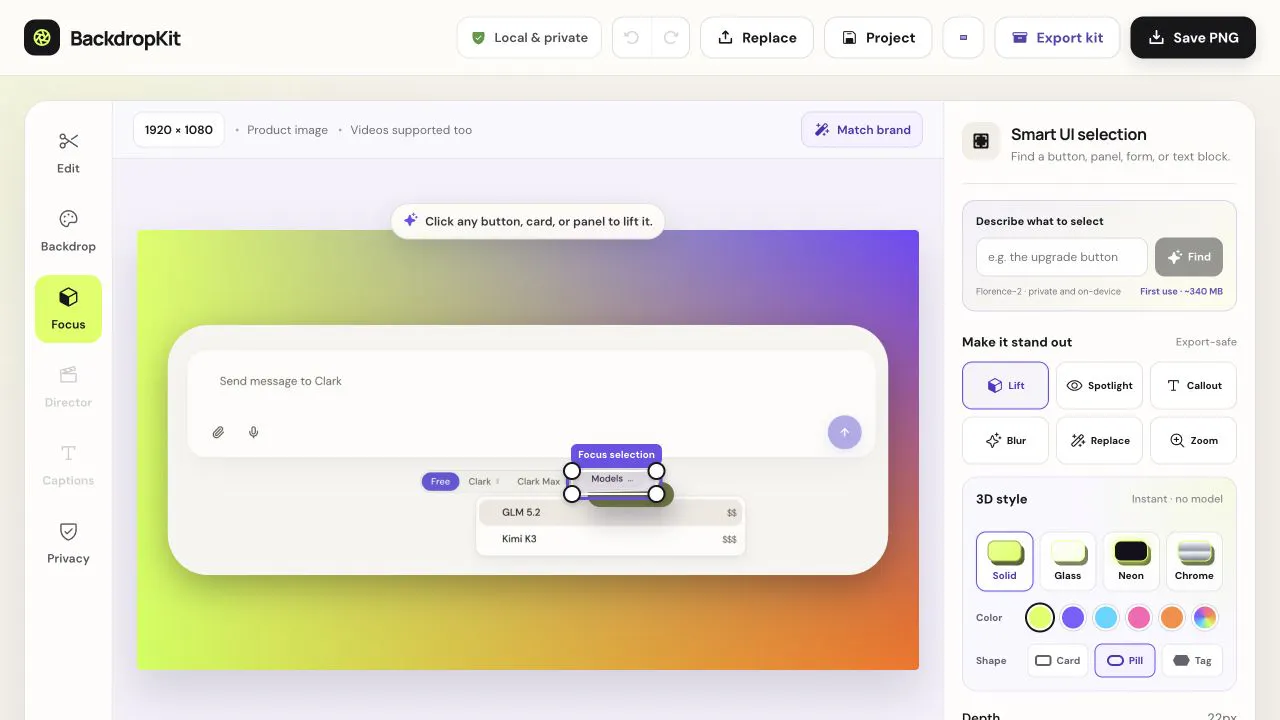
Launch-ready screenshots and demo videos private by design
BackdropKit is a privacy-focused tool designed for product teams, marketers, and developers who need to create polished launch materials without exposing sensitive information. It allows users to transform raw product screenshots or demo videos into comprehensive launch kits directly within their browser, ensuring privacy and security by not requiring uploads to external servers. Features include background generation or editing, UI spotlighting and callouts, redaction of confidential text, and export options optimized for various channels—such as images, videos, GIFs, thumbnails, and social media posts. Its emphasis on local processing makes it particularly appealing for teams prioritizing data privacy and watermark-free content creation. BackdropKit streamlines the process of preparing marketing assets, making it accessible and efficient for users who want professional results without complex editing software.
Pros
- Runs entirely locally in the browser, ensuring privacy and security
- All-in-one tool for editing, redacting, and exporting various media formats
- User-friendly interface ideal for non-experts in design or video editing
- Supports channel-specific exports like thumbnails, post copy, and alt text
- No watermarks and free to use
Cons
- Limited to browser-based editing, which might be less powerful than dedicated desktop tools
- May lack some advanced editing features found in professional software
- Newer tool with potentially limited integrations or ecosystem support
Best for
- • Creating privacy-compliant marketing screenshots and demo videos for product launches
- • Redacting sensitive data from product visuals before sharing publicly
- • Adding custom backgrounds and callouts to highlight UI features
- • Generating assets for social media posts, including thumbnails and GIFs
Pricing: Likely offers a freemium model with basic features available for free, with premium plans providing additional export options, backgrounds, or advanced editing tools. Specific pricing details are not publicly confirmed but are expected to be affordable for small to medium teams.
Create explainer videos. Produced, not templated.
Canvasvid is an innovative AI-powered platform that enables users to create high-quality explainer videos in just five minutes. Designed for agencies, marketers, and entrepreneurs, it eliminates the need for expensive production teams or complex editing skills. Users simply describe their product or message, choose from 26 styles, and receive a complete video that includes a script, illustrations, voiceover, animation, music, and subtitles. With features like voice cloning, multiple language options, and a variety of voices, Canvasvid offers a personalized and scalable solution for video content creation. Its no-strings-attached approach allows users to generate videos without credit card commitments, making it accessible for startups and small teams seeking professional-grade content quickly and affordably.
Pros
- Rapid 5-minute video creation process
- Wide variety of styles, voices, and languages
- No need for a film degree or complex editing skills
- Voice cloning and AI customization options
- Embedded videos with viewer analytics
Cons
- Limited information on customization depth
- Potential quality variation depending on input descriptions
- Currently no detailed pricing tiers specified
Best for
- • Creating product explainer videos for marketing campaigns
- • Generating onboarding or training content for teams
- • Producing social media videos quickly and efficiently
- • Creating multilingual videos for global audiences
Pricing: Likely a freemium model offering 20 free credits to try the service, with additional credits or features available through paid plans. Exact pricing details are not specified, but the approach suggests affordability and scalability for different user needs.